20 21
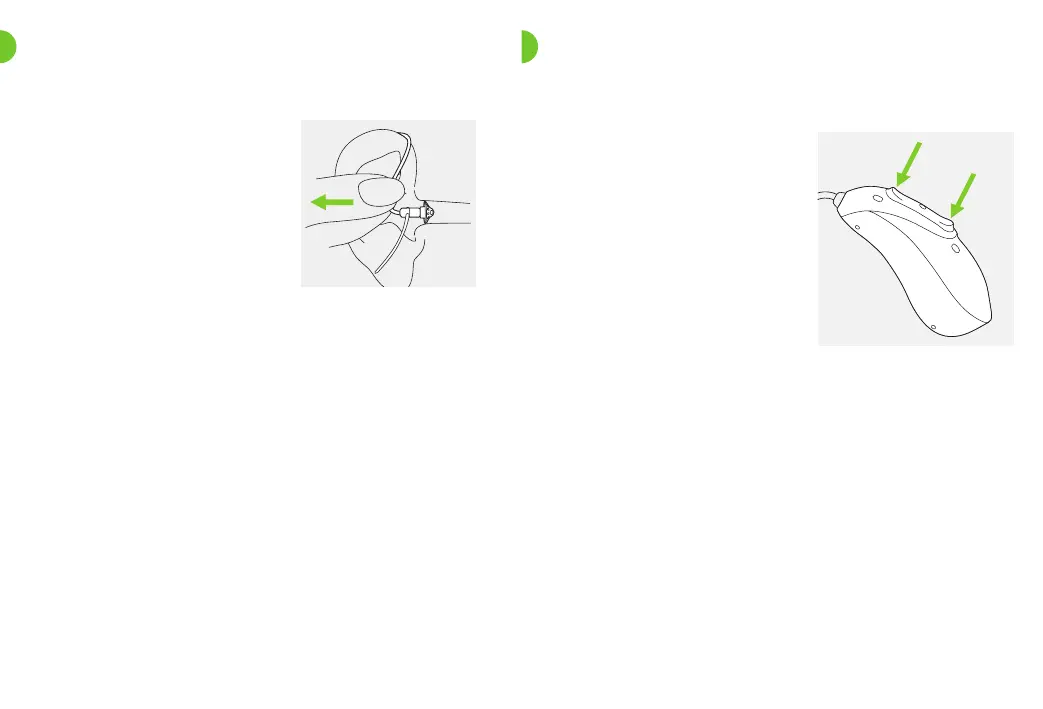
7. Removing the CROS device
Pull on the bend of the tube
and remove the CROS device
from behind the ear.
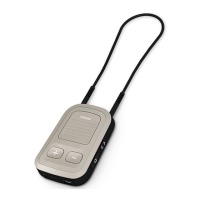
8. Multi-function button
It functions as an on/o
switch, a mute/unmute
switch, a balance control
when there is a wireless
transmission of sound from
the CROS device to the
hearing aid and/or a program
change depending on the
CROS system programming.
This is indicated in your
The multi-function button has several functions.
If the CROS system is paired with a Bluetooth enabled
phone, a short press on the upper or the lower part of the
button will accept an incoming call and a long press will
reject an incoming call – refer to chapter 13.
individual “CROS device or hearing aid instructions”.
Please ask your hearing care professional for a printout.



 To Next Page