1.5.3 Button Description
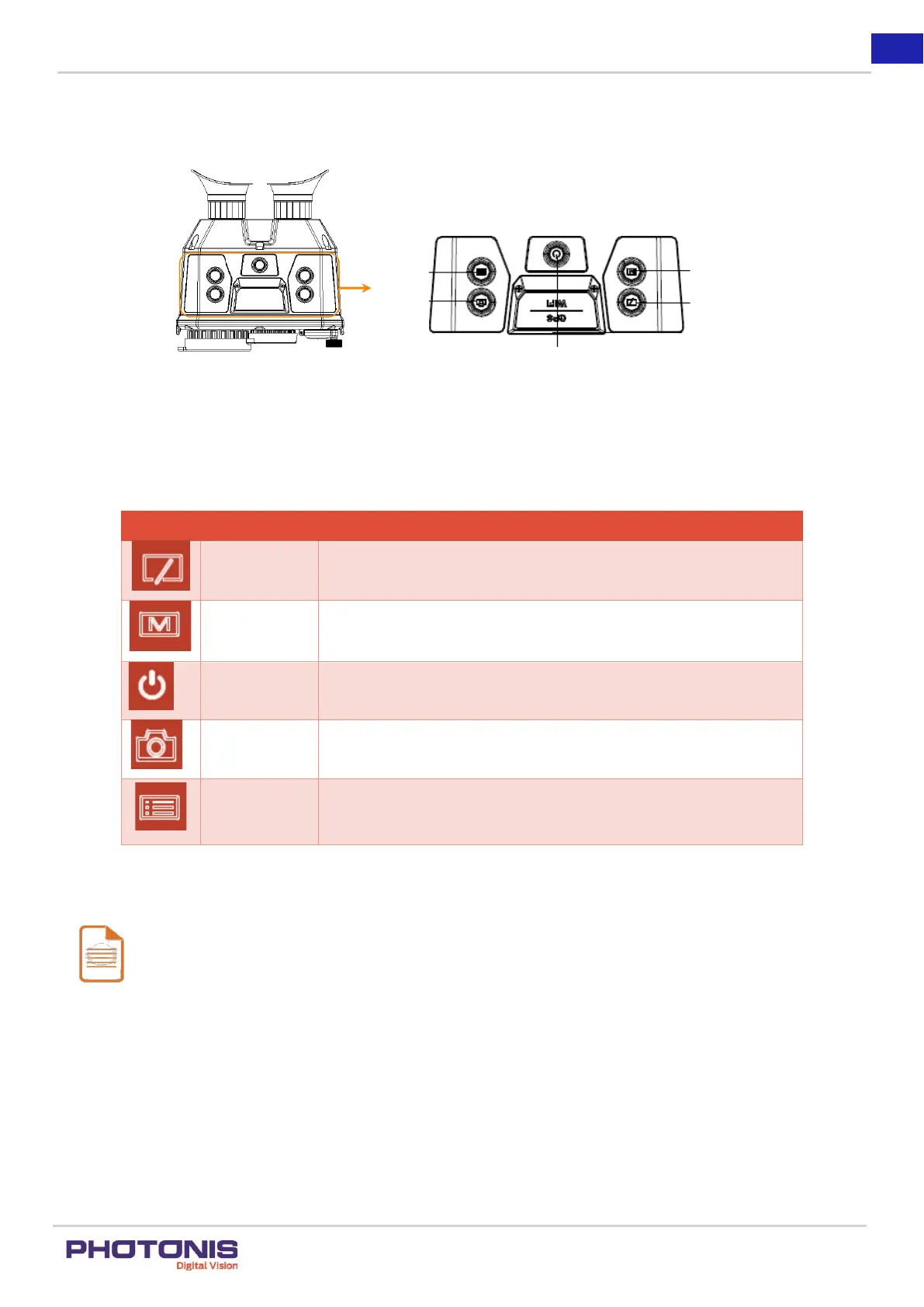
The TacFusion main buttons are shown below.
Figure 4. Button description.
For the description of the menu buttons, see the Table 4.
Table 4. Button description.
Hold the button to zoom in.
Press the button to switch the modes.
Hold the button to zoom out.
Press the button to activate Contouring Function.
Hold the button to power on/off the device.
Press the button to capture the view.
Hold the button to start or stop recording.
Press the button to switch between White Hot mode and Black Hot
mode.
Hold the button to show the menu bar.
Note:
Contouring function will be further explain in Section 3.4.1.
Different modes in TacFusion such as Thermal, Visible and Fusion including White Hot and Black Hot modes will
be explained in Section 3.5.


 To Next Page