2.3.2 Power Off
Step:
When the TacFusion is ON, hold the button for four seconds to power off the TacFusion.
2.4. Cable Connection
Attentions:
Do NOT drag the cables when you do the connecting, or when it is connected to the TacFusion.
To plug in/out the cable, hold the cable end and then plug in/out. Do NOT twist the cables, which could damage the
inside pins.
Purpose:
Connect the TacFusion with the aviation cable, you can connect the device to your PC via USB interface or the display via the
BNC interface.
Steps:
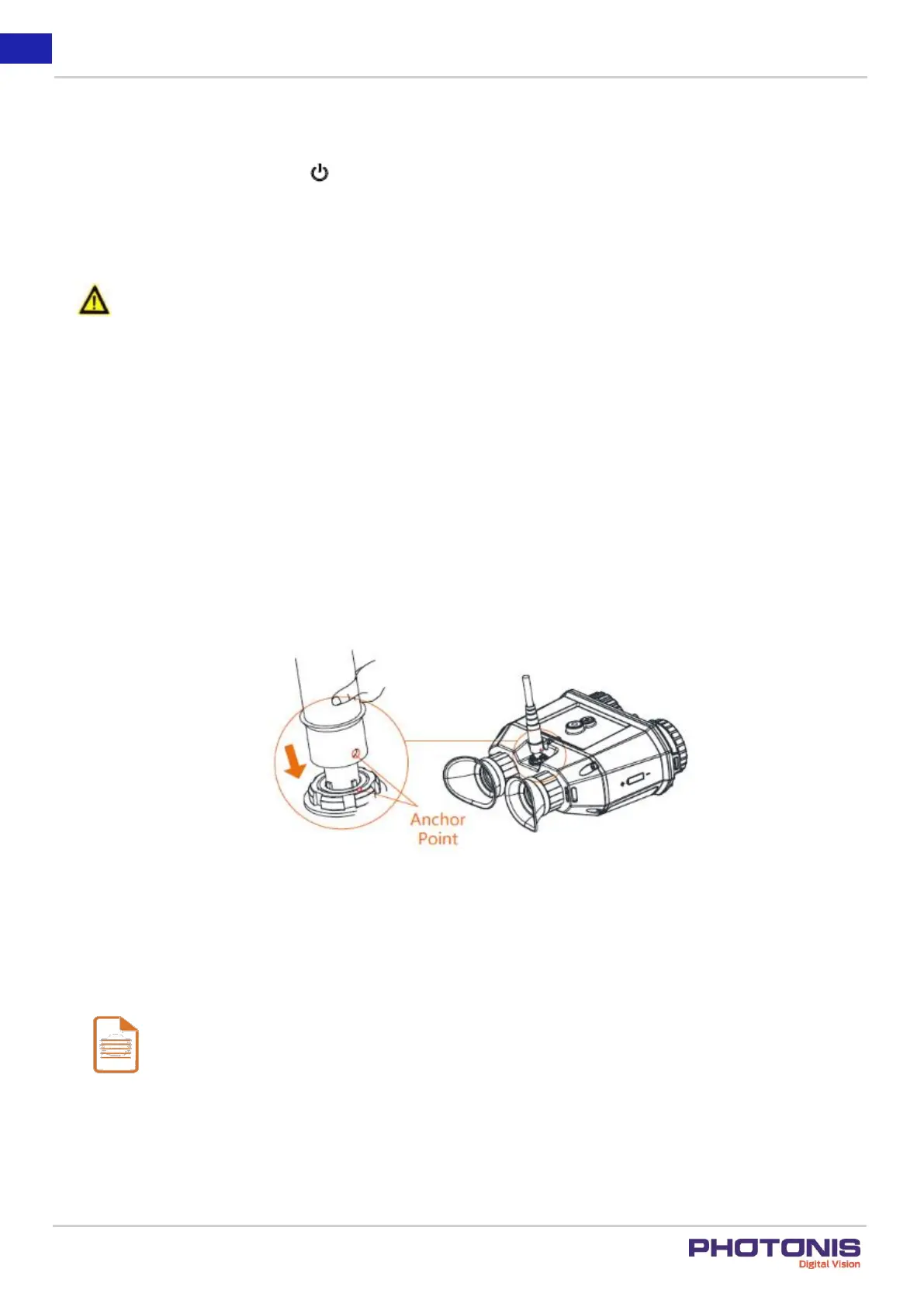
Connect the aviation cable with the aviation interface. Make sure the anchor points match with each other and insert the cable.
To disconnect the cable, lift the cable.
Figure 8. How to connect the aviation cable.
2.5. Focus
Notes:
Do NOT touch the lens directly with your finger, or place any sharp objects nearby the lens.
It is advised to focus when using thermal mode.


 To Next Page