2. Device Operation
2.1. Device Charging
Purpose:
For the first use, it is advised to charge the batteries with your charger until they are fully charged.
Steps:
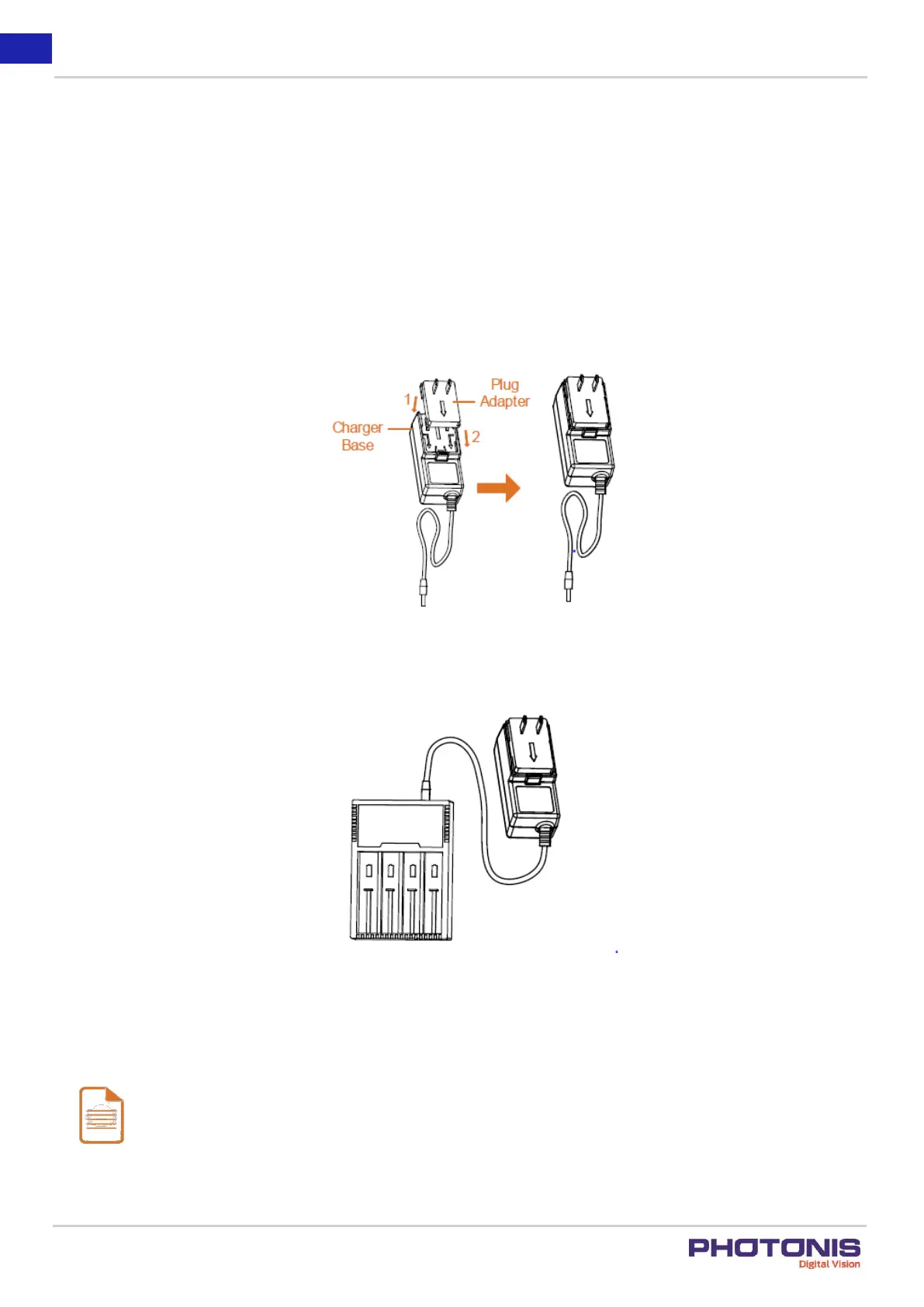
1. Take the proper plug adapter.
2. Push and hold it, at the mean time slide it toward the inside to assemble the power adapter.
Figure 5. Step 1 and 2.
3. Connect the power adapter to the battery charger.
Figure 6. Step 3.
4. Insert the batteries in the charger with the correct positive/negative terminals position.
Note:
When the charger is powered on, the LCD display lights up, indicating the status of the batteries. The charger will
detect the battery and charge them.



 To Next Page