3.3. File Export
Before starting:
Connect the TacFusion to your PC via USB interface of the aviation plug. Refer to Section 2.4.
Purpose:
Export the videos and snapshots to your PC.
Steps:
1. In your PC, go to the Removable Disk.
2. Double-click to open the disk. View or copy the videos or snapshots.
3. Disconnect the TacFusion with the PC.
3.4. Display Setting
3.4.1 Contouring Function
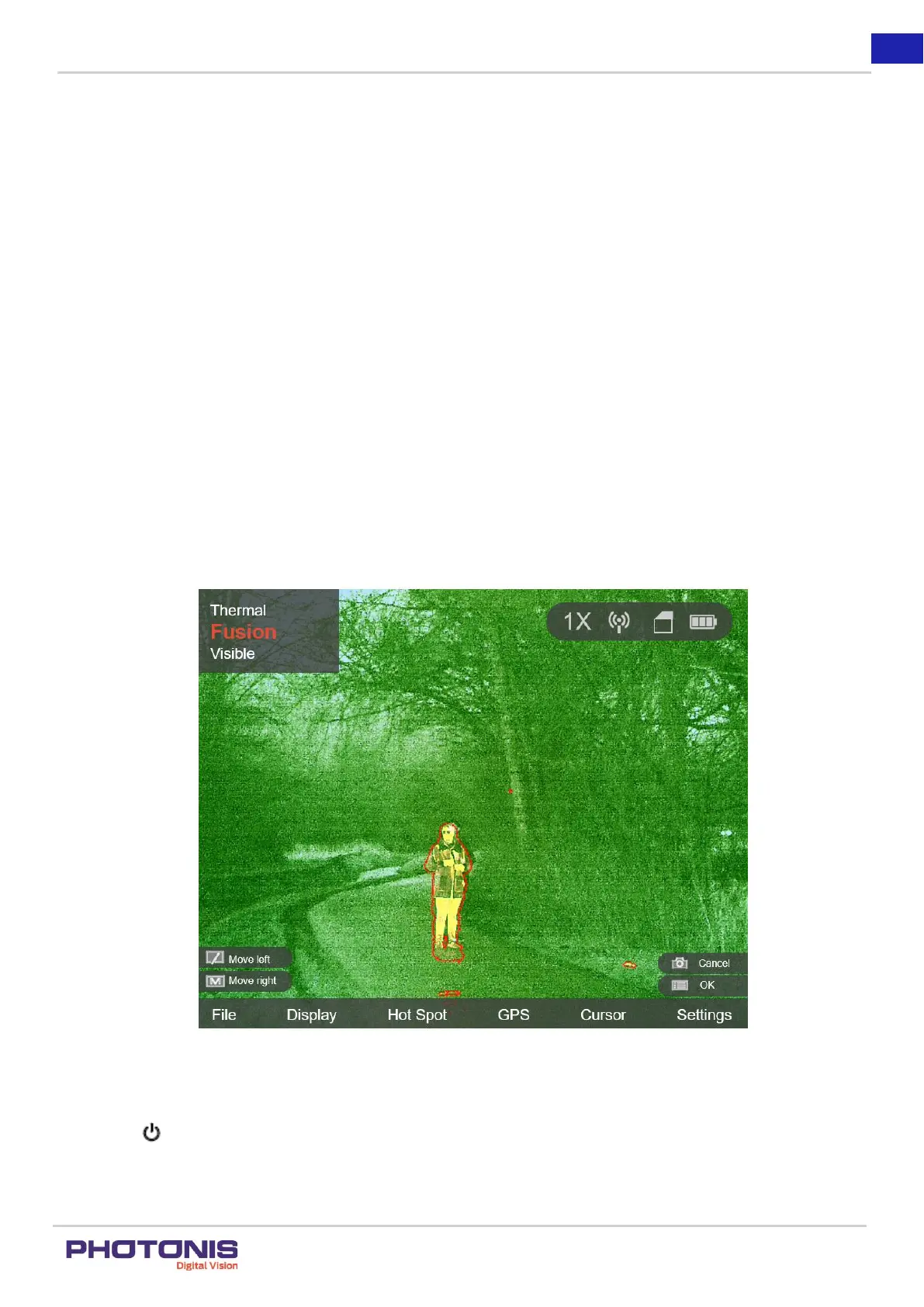
To emphasize the high-temperature of the target, TacFusion offers contouring function (see Figure 13). The contouring function
shows as the red line, which follows the high temperature of objects.
Figure 13. Active contouring function in Fusion mode.
Steps:
Press the button to activate or deactivate the contouring function.


 To Next Page