3.4.5 Digital Zoom
Purpose:
Enable the digital zoom function to enlarge the image display.
Steps:
1. Hold the button to zoom in. The value of digital zoom can be set to 1X, 2X, 3X, 4X.
2. Hold the button to zoom out.
3.4.6 OSD Setting
Steps:
1. Hold the button to show the menu of TacFusion.
2. Press the button and button to move the cursor to Settings submenu.
3. Press the button to confirm.
4. Press the button and button to move the cursor to OSD submenu.
5. Press the button to switch ON/OFF the OSD.
3.5. Palettes Setting
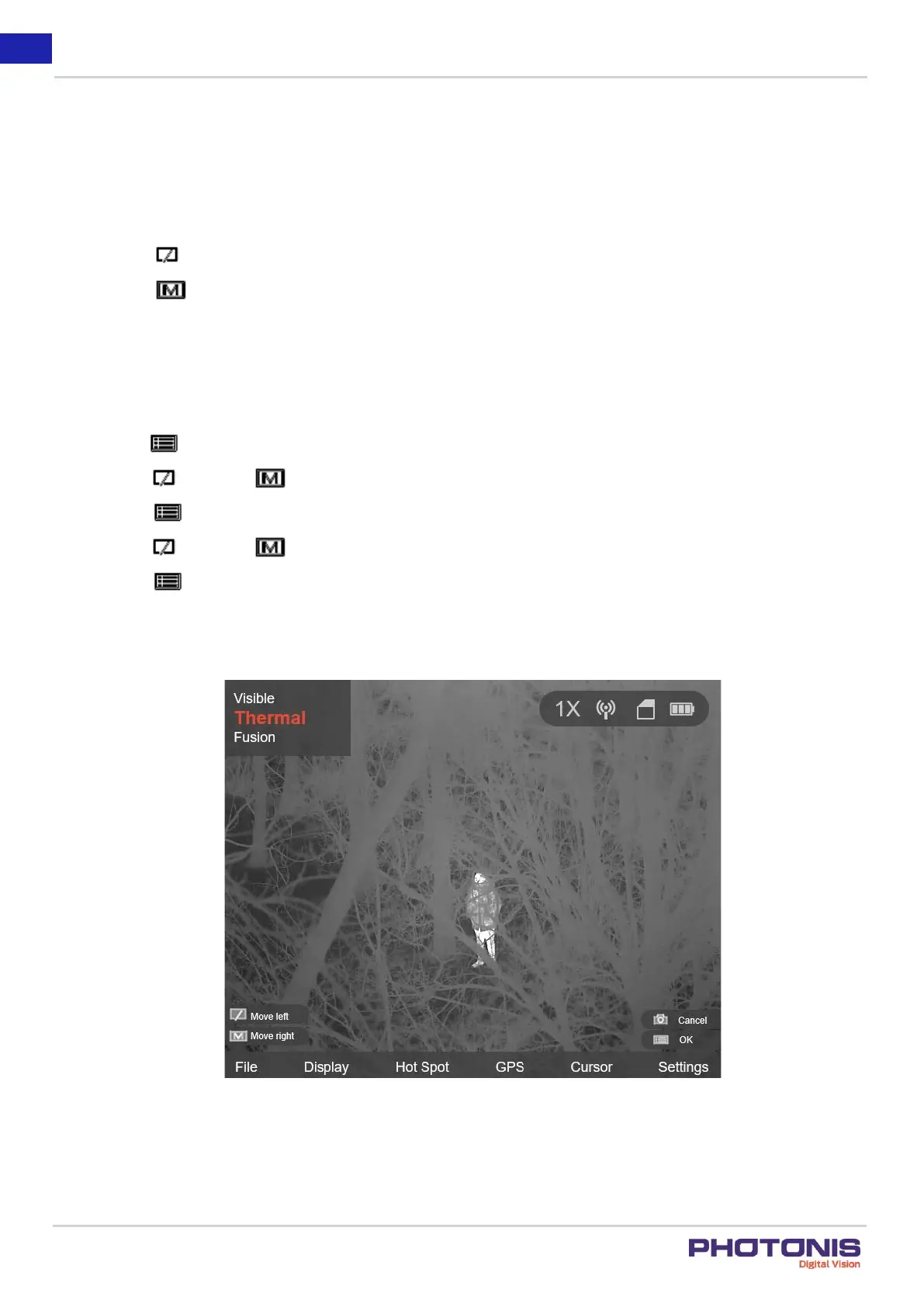
Figure 14. Thermal view.
Purpose:
The TacFusion equipped by dual-lens: thermal and visible light lens. The user can set the thermal or visible view to show thermal
channel, visible light channel, or both them (Fusion mode).


 To Next Page