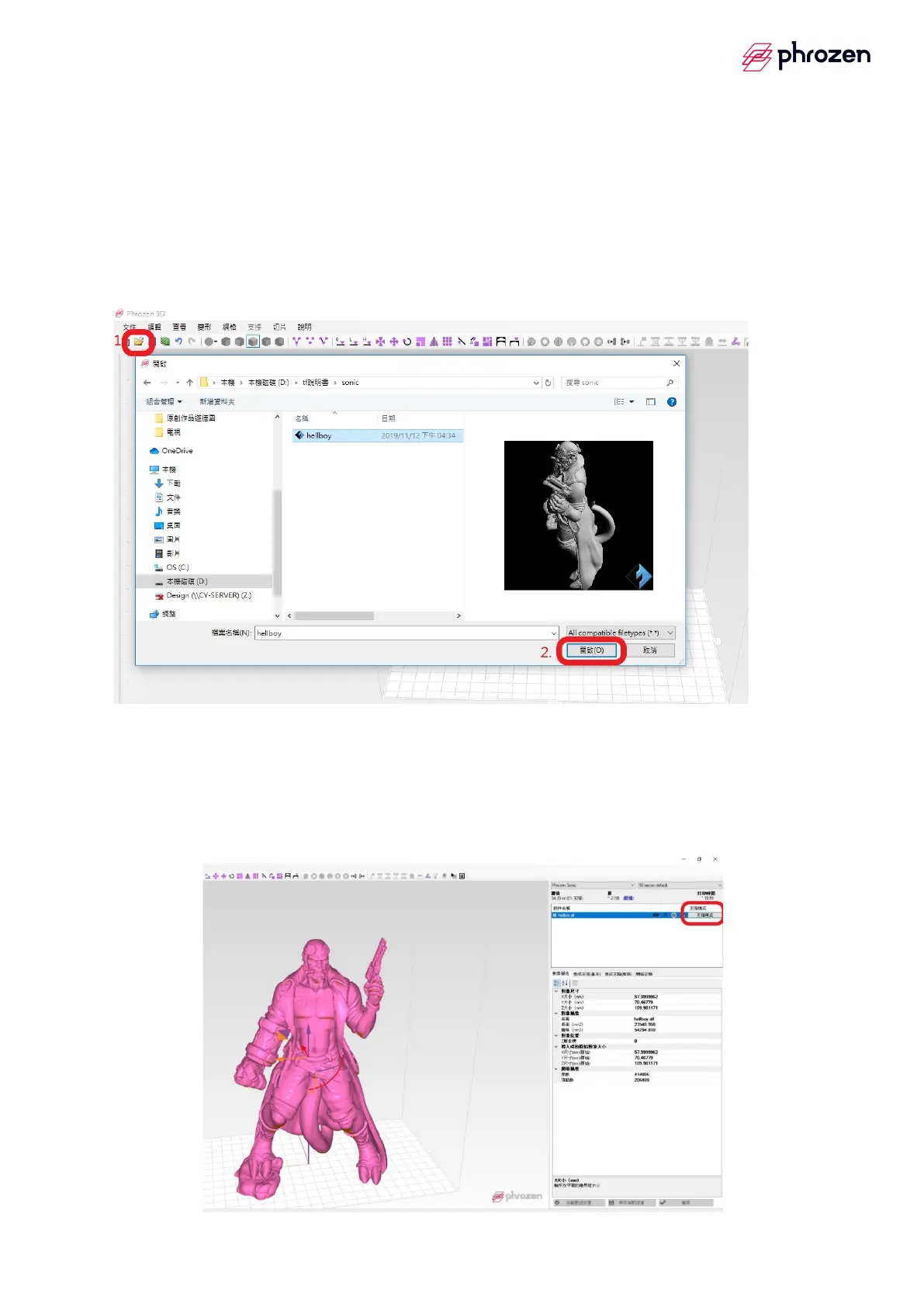
(f)Import file
Step 1
è
Select the upper left file icon
Step 2
è
Choose the file to import
※Mobile window: The middle mouse button can move the screen, and the
right mouse button can rotate the screen in 3D.
2. Hollow setup
(a) hollow out
Step 1
è
Select the upper right - Support mode
Step 2
è
Adjust the thickness (*advice 1.5mm)
Step 3
è
Hollow out









 To Next Page