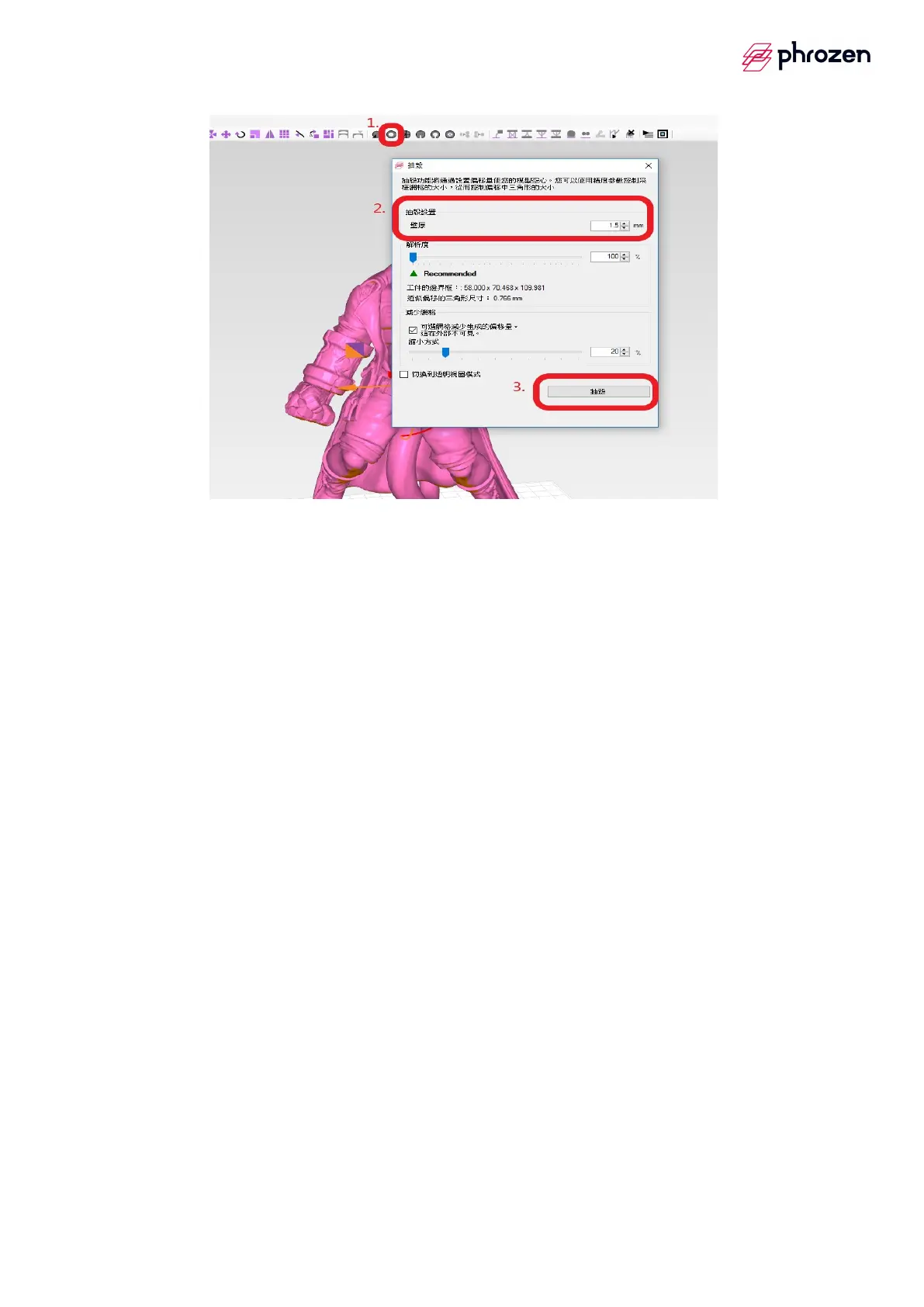
3. Air out setup
※After hollowing out, make sure air out at least two holes on the bottom
of model.
(a) Slice air out ─── create a set of pressure relief holes in slice process.
Step1
è
It goes with slice air out mode to adjust the size of holes
Step2
è
Select slice air out image
Step3
è
Click the position where needs to air out with left mouse button









 To Next Page