Commissioning
Operating Manual PSENvip RL D P Set
1001641-EN-09
| 78
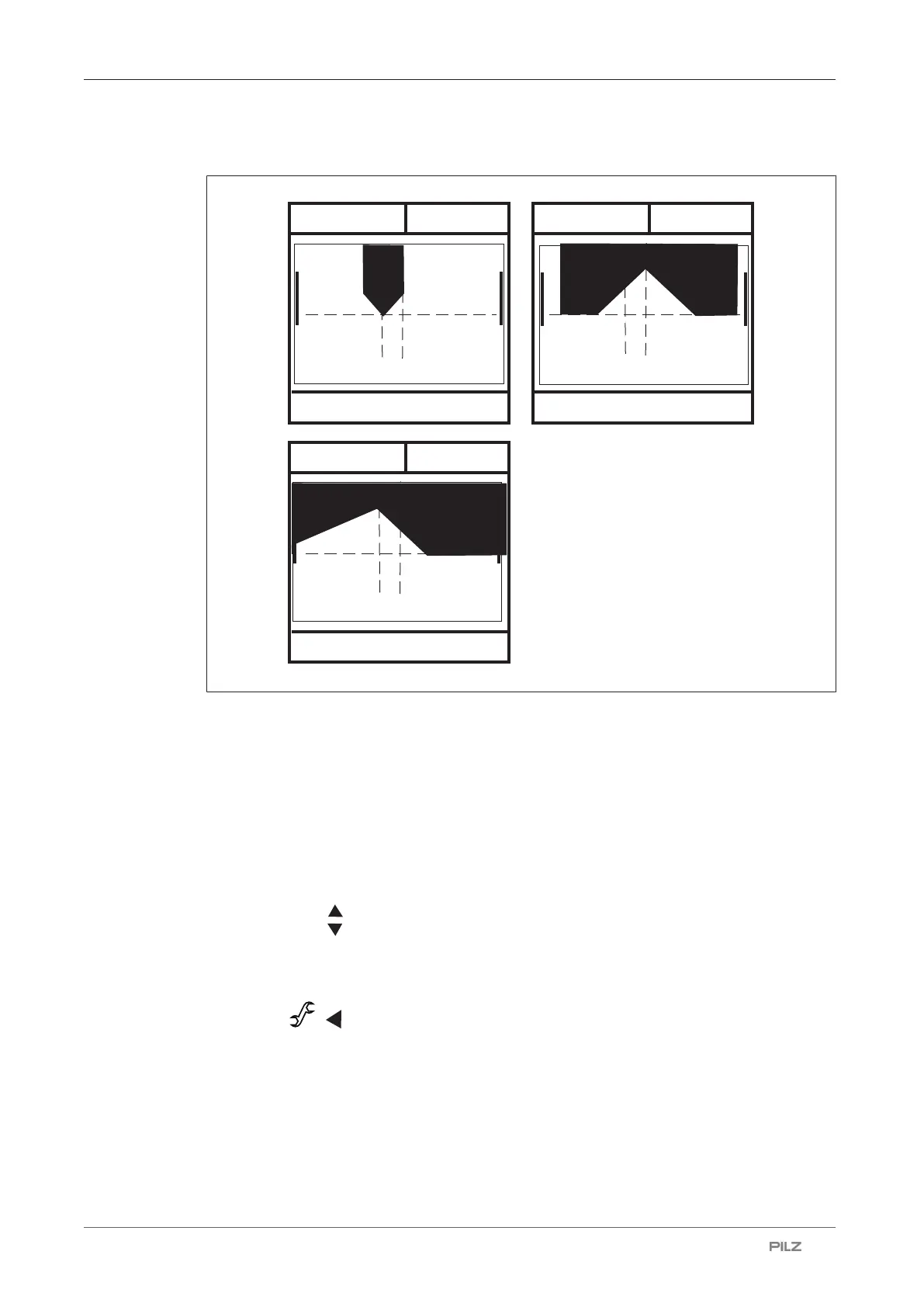
The tools are displayed as follows on the PSENvip display:
SYSTEM OK
OSSD OFF
TOOL CHANGE
SYSTEM OK
OSSD OFF
TOOL CHANGE
SYSTEM OK
OSSD OFF
TOOL CHANGE
Tool class 1
Tool class 2
Tool class 3
Fig.: Tool detection on the PSENvip display
7.3.3 Make adjustment during tool change
To achieve optimum results, the tool should be aligned to an appropriate bending line dur-
ing initial commissioning (see section entitled "Initial commissioning").
There are two ways of starting the function "Adjustment during tool change":
Option 1:
} Press the <MODE> key.
} Using the keys , select the Tool Change option.
} Press the <ENTER> key to start the Tool Change.
Option 2:
} Press the ( ) key to start the Tool Change.


 To Next Page