Page 45 Page 46
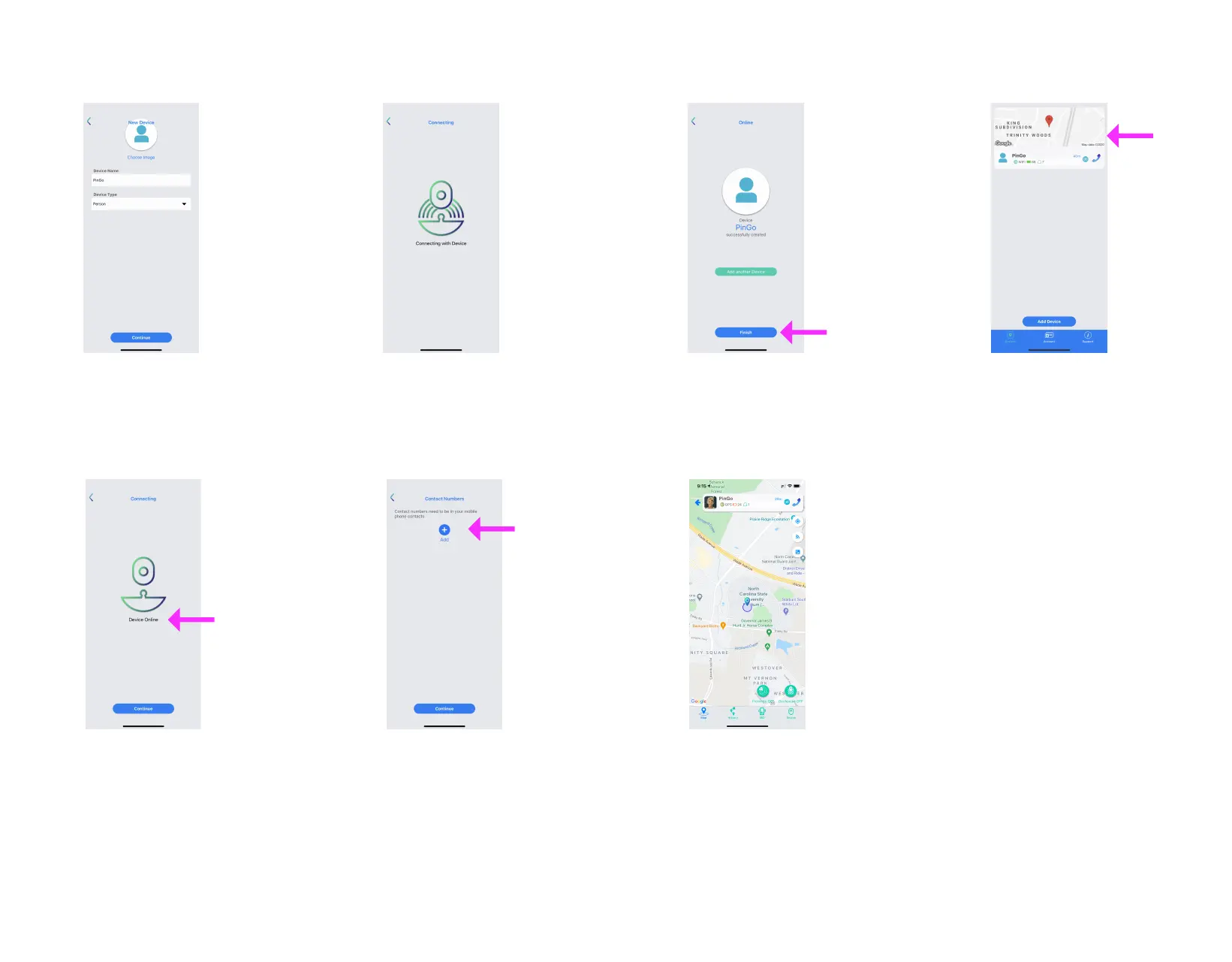
6. Type a Name and choose an
Image for your PinGo Watch
7. Wait for the App to connect with
your PinGo Watch
8. The App will show the status
of your PinGo Watch
9. Add up to two emergency contacts
10. Add another PinGo Watch
or Finish
11. Your PinGo Watch will appear in
the list of added devices
12. Tap on the map to interact
with your PinGo Watch



 To Next Page