Page 13 Page 14
For informaon, see the PinGo Support arcle If your PinGo Watch won’t
charge or it won’t turn on.
WARNING: For important safety informaon about the baery and charging
PinGo Watch, see Important safety informaon for PinGo Watch.
Check remaining power
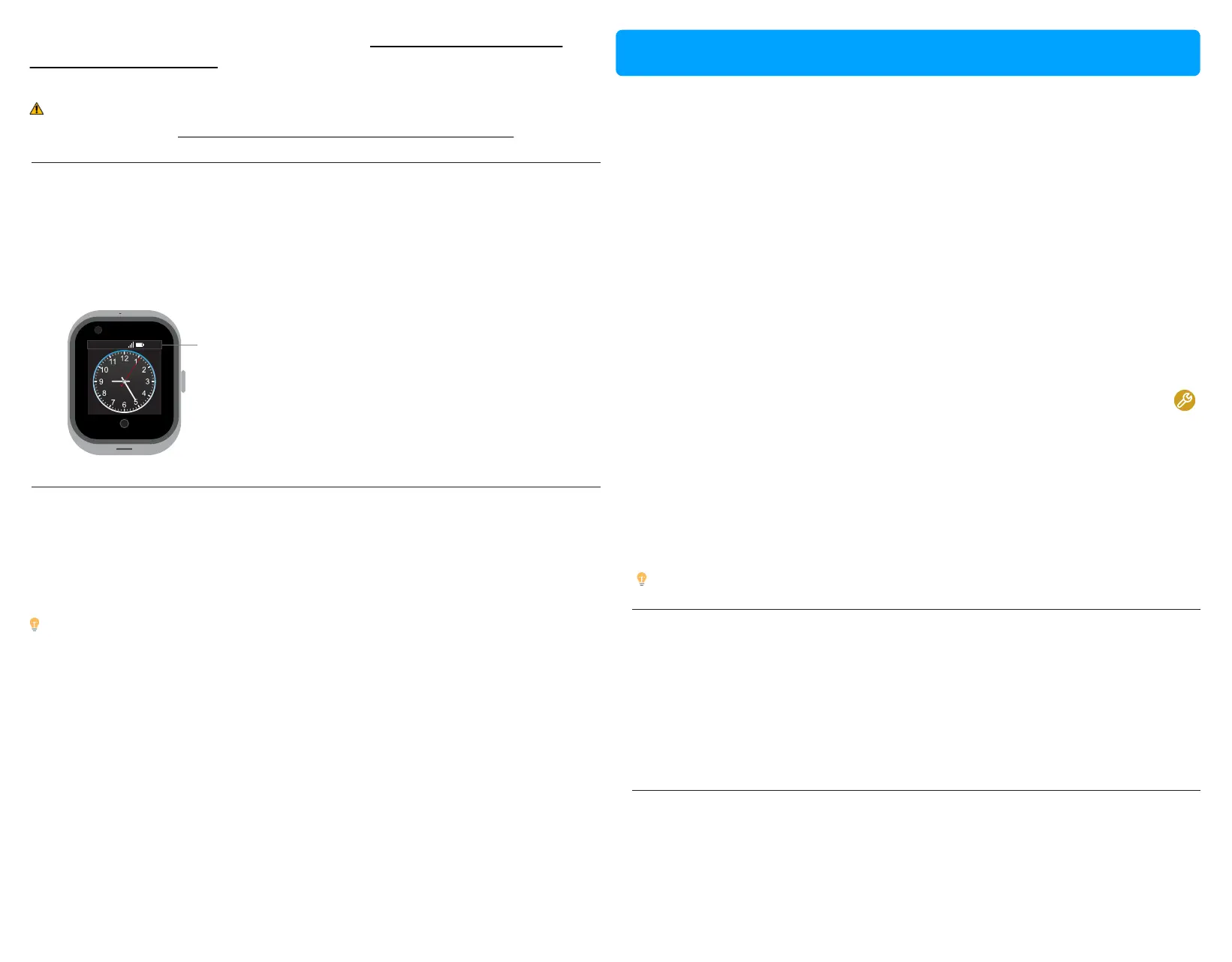
To see remaining power, press the power buon to acvate the screen, touch
and hold the top of the screen, then swipe down to show the baery level,
the connecon strength, the network and the me.
4G
9:25AM
Thu17/04
09:25
View the amount of
remaining baery life
Save power when the baery is low
You can reduce the frequency with which your PinGo Watch updates its
locaon to opmize baery consumpon. This can be configured in the PinGo
GPS app.
When baery charge drops to 20 percent or lower, your PinGo Watch alerts
you and gives you the opportunity to opmize the remaining baery or to
recharge it.
When your PinGo Watch is almost out of power, it enters to a Power Reserve
mode automacally and will not let you use the touch screen.
The baery must have at least 10 percent charge for your PinGo Watch to
unlock the touch screen.
Turn your PinGo Watch on and off
Tip: You can leave your PinGo Watch on when it’s charging.
NOTE: You can’t turn off your PinGo Watch directly with the touch screen
while it’s charging. To turn off your PinGo Watch, first disconnect it from the
charger. You should not turn on your PinGo Watch while it’s charging, first
disconnect it from the charger and then press the side buon to turn it on.
Wake the PinGo Watch display
When your PinGo Watch is on, press the side buon once to see the touch
screen light up.
If your PinGo Watch doesn’t wake when you press the side buon, it may
need charging or it may be turned off.
Return to the clock face
Press the back buon in the front face of the your PinGo Watch to go back to
clock face or to a previous screen.
Tip: Baery duraon will vary depending on mulple factors: how many
mes you called and the duraon of the calls, how many mes the screen
was turned on, the strength of the connecon to the cellular network, and
how oen you update your PinGo Watch’s locaon.
• Turn on: If your PinGo Watch is off, press and hold the side buon unl
the screen is on and you hear a sound.
The watch face appears when PinGo Watch is on.
• Turn off: Normally, you’ll leave your PinGo Watch on all of the me, but if
you need to turn it off, there are two ways:
- PinGo GPS app: select “turn off” in the Sengs secon of the app, to
remotely turn off your PinGo Watch, or
- PinGo Watch: Press the side buon to wake up the screen, then slide
the screen to the le with your finger unl you find the Sengs app ,
tap on it, and then scroll down unl you find the opon to “Shutdown”
or “Reboot”.
Turn on and wake PinGo Watch



 To Next Page