Page 47 Page 48
NOTE: There are funcons that have not been enabled yet in the App,
therefore they cannot be used. They will be enabled in future updates of the
App.
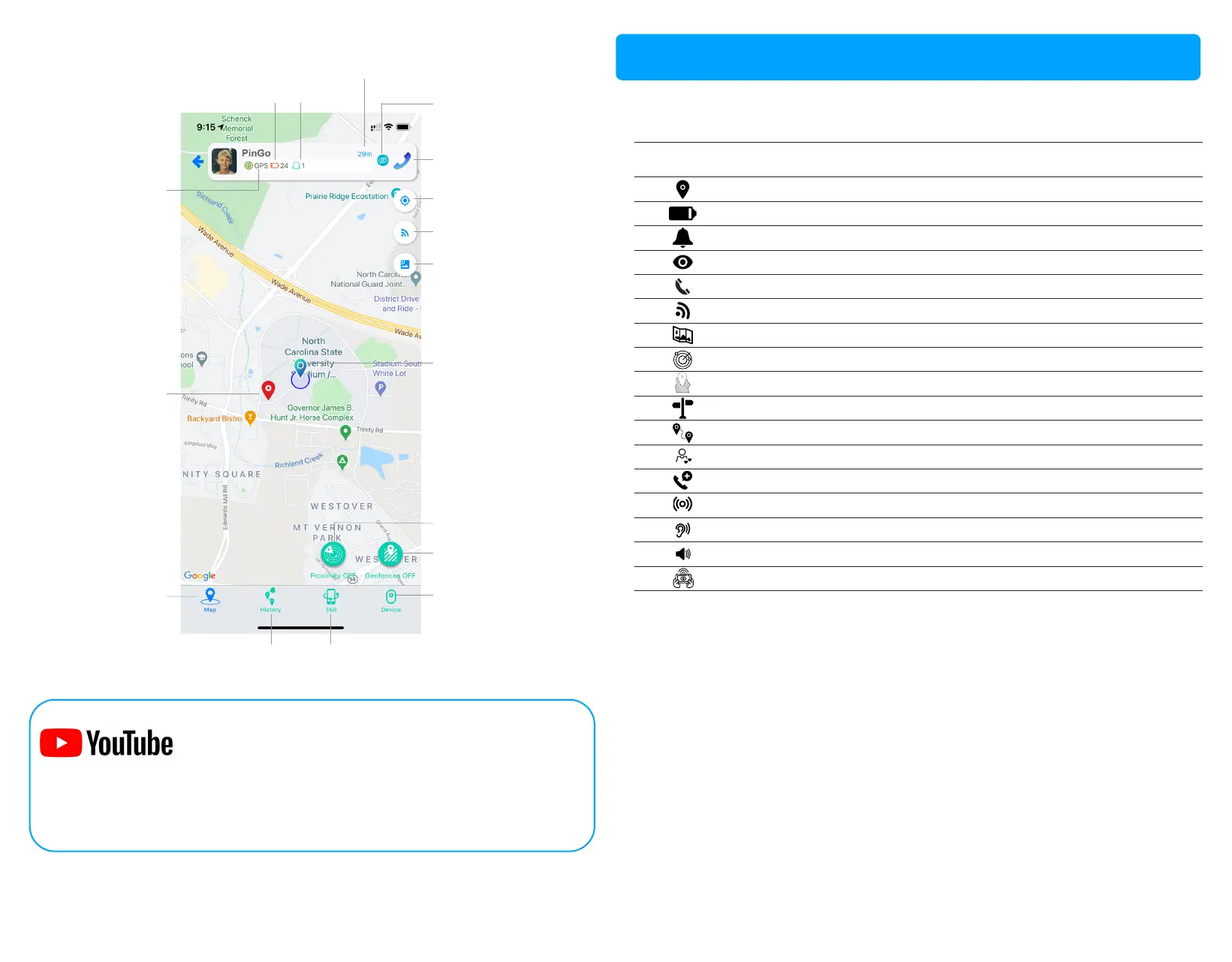
This is what you can do with your PinGo GPS App.
Funcon
Real-me tracking (satellite / WiFi / cellular)
Baery percentage
Alerts / noficaons
Private / Shared Visibility (Trusted Caregivers)
Call to PinGo Watch directly
Request locaon
Standard/ satellite view
Proximity zone
Enable entry / exit geofences
Direcons to get to the locaon of your PinGo Watch
History of the places traveled
List of Trusted Caregivers
Emergency contacts
Locaon reporng frequency (baery opimizaon)
Audio monitoring
Sound emission
Augmented reality for easy locaon
If you have any quesons regarding a feature, visit:
www.pingogps.com/support
To know more about the “End user License Agreement”, visit:
www.pingogps.com/legal
Call to PinGo Watch
Center on the map
PinGo Watch
Update locaon
Switch map view
PinGo Watch locaon
Proximity fence on/off
Geofence on/off
PinGo Watch
status
Guardian locaon
% Baery Alerts
Map view
Sengs
Distance
from Guardian
Visibility status
(Private/Shared)
History Augmented
Reality
PinGo GPS App funcons
To find out how to use each feature, see the “Tutorials” at:
www.youtube.com/PinGoGPS



 To Next Page