Selecting Door Switching Systems
It is necessary to select the correct “Door System Type” (Negative or Positive switching)
for that of your vehicle. Initially, the system is set for vehicles with the grounding type
(Negative switching).
Select the correct “Door system type” of your vehicle from below.
Door System Confirmation
The door system confirmation feature was incorporated to ensure that the correct door sys-
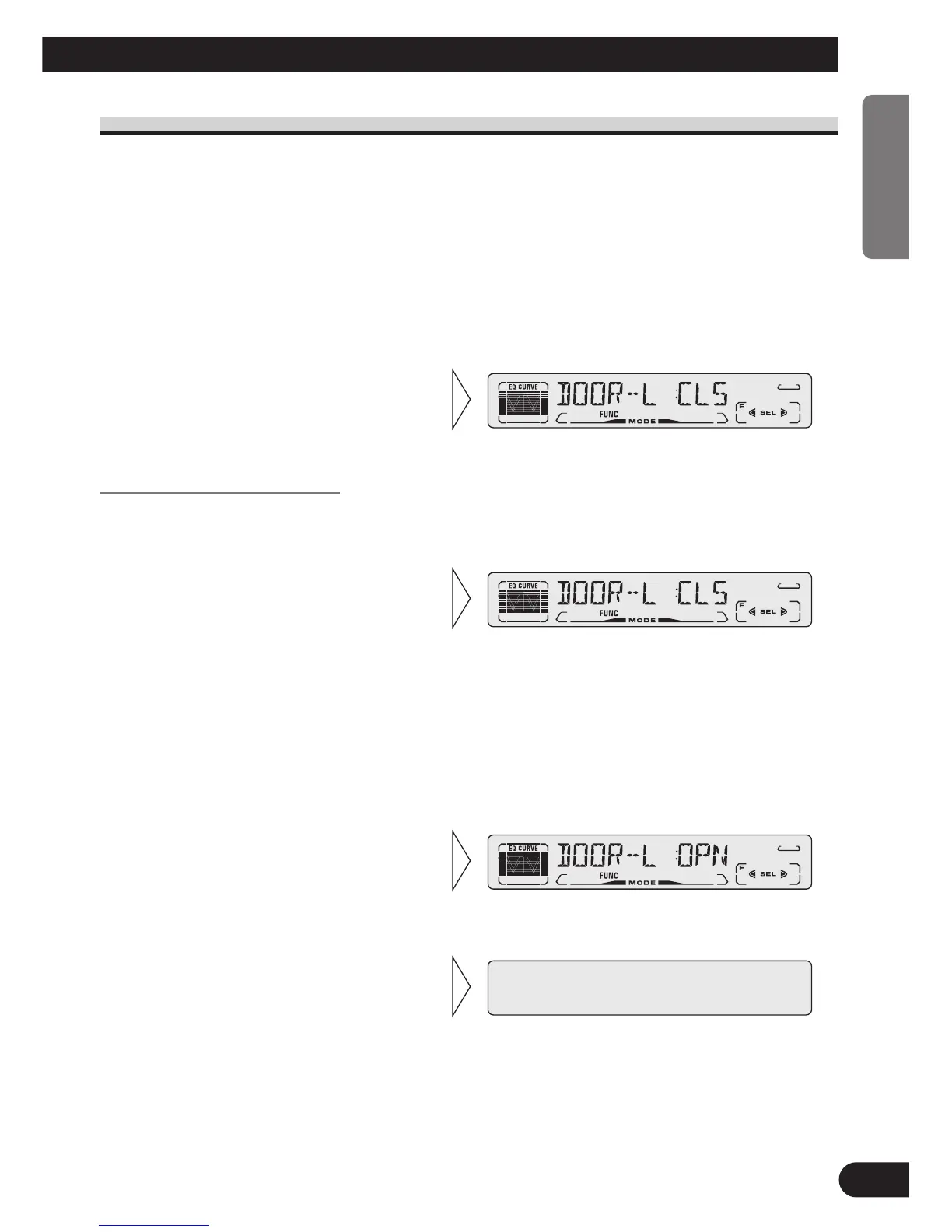
tem type has been selected. (e.g. Set to “DOOR-L :CLS” for GM vehicles.)
Setting of the “DFS Alarm” is now complete.
Note:
• In case that the battery is disconnected, it may be necessary to reprogram the DFS Alarm Menu;
otherwise this setting needs to be done only once.
3. Press the BAND button and
cancel the DFS Alarm Setting
Menu.
2. As the vehicle’s door is opened
the display should change
accordingly (“DOOR-L :CLS”
– “DOOR-L :OPN”).
1. First, close all the vehicle’s
doors. If the correct door sys-
tem type has been selected then
the Display will show “DOOR-
L :CLS”.
If not, select the alternative door sys-
tem type by pressing the
[ or ]
button. Lastly, confirm each door
triggers the Alarm by opening and
closing each vehicle’s door.
• Select “DOOR-L :CLS” or
“DOOR-H :CLS” with the
2/3 buttons.
7 Vehicles to select “DOOR-H :CLS”
FORD, JAGUAR, MERCEDES*, etc.
* Some Models Only.
7 Vehicles to select “DOOR-L :CLS”
GM, CHRYSLER, JAPANESE,
EUROPEAN
38
ENGLISH ESPAÑOL DEUTSCH FRANÇAIS ITALIANO NEDERLANDS






 To Next Page