EasyManua.ls Logo

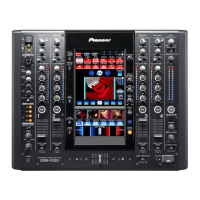
Pioneer SVM-1000 - User Manual

Pioneer SVM-1000
48 pages
Print Icon
To Next Page IconTo Next Page
Loading...
Operating Instructions
SOUND & VISION MIXER
SVM-1000
SVM-1000_B_En.book 1 ージ 207年1月6日 月曜 午1254

Other manuals for Pioneer SVM-1000

Questions and Answers

  • A
    Angela GomezSep 6, 2025
    How to fix Pioneer SVM-1000 when BPM can’t be measured or is incorrect?
    • M
      Michael MartinSep 6, 2025
      If the BPM can’t be measured or the measured BPM value is incorrect on your Pioneer Music Mixer, it might be due to the input level being too high or too low. Adjust the AUDIO TRIM dial so that the input level approaches 0 dB on the channel level indicator. Also, BPM may not be correctly measurable with some tracks, in that case strike the TAP button to set BPM manually.
  • D
    david48Aug 25, 2025
    What to do if there is no sound from my Pioneer Mixer?
    • B
      Brandy MillerAug 25, 2025
      If there is no sound or the sound volume is too low on your Pioneer Mixer, ensure the AUDIO INPUT switch is correctly set to the currently playing component. Check that all connection cables are properly connected and clean any dirt from connectors or plugs. Also, verify the rear panel MASTER ATT. switch setting and adjust if necessary.
  • J
    Juan HamiltonAug 25, 2025
    Why effects don’t work on Pioneer Mixer?
    • P
      Patrick ArmstrongAug 26, 2025
      If the effects aren’t working on your Pioneer Mixer, make sure the effect channel selector (CH SELECT) is correctly set to the channel on which you wish to apply effects. Also, adjust the effect parameter 2 dial (LEVEL/DEPTH), because it may be set to [MIN].
  • J
    John PetersSep 15, 2025
    Why doesn’t the cross fader work on my Pioneer SVM-1000 Music Mixer?
    • B
      Bruce BellSep 15, 2025
      If the cross fader doesn’t work on your Pioneer Music Mixer, the CROSS FADER ASSIGN switch setting ([A], [THRU], [B]) may be incorrect; correctly set the CROSS FADER ASSIGN switch for the desired channel.
  • C
    Cameron BowmanSep 23, 2025
    Why keyboard character is not entered on Pioneer Music Mixer?
    • B
      Brenda BullockSep 23, 2025
      If the character pressed on the keyboard is not entered on your Pioneer Music Mixer, the keyboard connected to the USB connector may not match the setting selected during this unit’s keyboard language setup. Set the keyboard language setup to match the type of keyboard connected to the USB connector.
  • J
    Jason CookSep 10, 2025
    How to synchronize MIDI sequencer with Pioneer SVM-1000 Music Mixer?
    • D
      Dr. Brandon SimmonsSep 12, 2025
      To synchronize a MIDI sequencer with your Pioneer Music Mixer, set the MIDI sequencer’s sync mode to “slave.” Note that MIDI sequencers that do not support MIDI timing clock cannot be synchronized.
  • M
    mcfarlandoscarSep 2, 2025
    Why BPM can’t be measured on Pioneer Mixer?
    • R
      rsullivanSep 2, 2025
      If the BPM can’t be measured or the measured BPM value is incorrect on your Pioneer Mixer, adjust the AUDIO TRIM dial so that the input level approaches 0 dB on the channel level indicator, as the input level may be too high or too low. If the BPM still isn't correct, strike the TAP button to set BPM manually, as BPM may not be correctly measurable with some tracks.
  • R
    Richard WolfeSep 2, 2025
    How to fix cross fader on Pioneer Mixer?
    • A
      Adrian TapiaSep 2, 2025
      If the cross fader isn’t working on your Pioneer Mixer, correctly set the CROSS FADER ASSIGN switch for the desired channel. The switch setting ([A], [THRU], [B]) may be incorrect.
  • J
    Jessica MurraySep 22, 2025
    How to enable effects on Pioneer Music Mixer?
    • J
      John DiazSep 22, 2025
      If the effects aren’t working on your Pioneer Music Mixer, make sure the effect channel selector (CH SELECT) is correctly set to the channel on which you wish to apply effects. Also, check that the effect parameter 2 dial (LEVEL/DEPTH) is not set to [MIN]. Adjust the effect parameter 2 dial (LEVEL/ DEPTH).
  • K
    Kurt CohenAug 28, 2025
    Why is the cross fader not working on my Pioneer Mixer?
    • A
      Alec PhamAug 29, 2025
      If the cross fader on your Pioneer Mixer isn’t working, ensure the CROSS FADER ASSIGN switch is correctly set for the desired channel.

Summary

Safety and Handling Cautions

Connections: Inputs

Connections: Outputs

Connections: Peripherals

Basic Operations

Basic Operations: Audio and Monitoring

Audio Output Modes & Mic Settings

Setting stereo/monaural output, adjusting microphone input, and booth monitor volume.

Headphone Output & Fader Curves

Adjusting headphone levels/balance and selecting fader response curves.

Video Control Functions

Video Cross Fader & Channel Switch

Operating the video cross fader for effects and using the channel monitor to control video output.

Video Solo Mode & Mix Effects

Switching channels instantly and understanding various video mix effects.

Effect Functions: Beat Effects

Effect Functions: Touch Effects

Effect Functions: Text Effects

Effect Functions: Text Editing & Monitor

Text Editing

Editing text content, font, color, size, and justification for TEXT effects.

Master Monitor Display

Toggling the visibility of the master monitor display on the LCD screen.

Effect Functions: Effect List

JPEG Viewer Functions

JPEG Viewer Setup & File Loading

Setting up JPEG playback modes and loading files from USB/SD cards.

Manual & Auto Mode Operation

Assigning JPEG images to channels or creating slide shows.

Video Equalizer Function

Fader Start Function

Utility Setup: MIDI & Synchronization

Utility Setup: Monitor & Keyboard

Hardware Setup: System & Mic

Hardware Setup: Outputs & LCD

Hardware Setup: Panel & Defaults

Troubleshooting

Pioneer SVM-1000 Specifications

General IconGeneral
BrandPioneer
ModelSVM-1000
CategoryMusic Mixer
LanguageEnglish

Related product manuals