56
VSA-E03
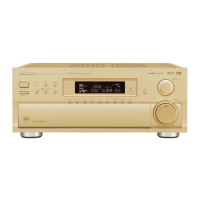
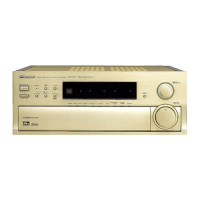
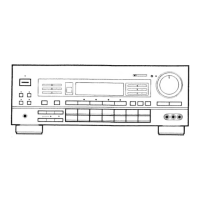
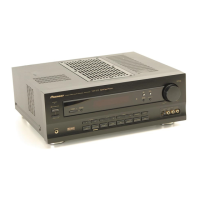
8.1 PANEL FACILITIES
8. PANEL FACILITIES AND SPECIFICATIONS
Front Section
1 Main power switch (— OFF, _ ON)
2
STANDBY/ON button
Press to switch the amplifier on or put in standby.
3 STANDBY indicator
Lights when the amplifier is in standby mode. (Please
note that this amplifier consumes a small amount of
power (1 W) during the standby mode.)
4 CHANNEL SELECT button
Use to select a speaker when ajusting speaker levels.
5 SPEAKERS (A/B) buttons
Use to switch the corresponding speaker system on
or off. To listen to both speaker systems (A and B),
press the buttons so that both A and B appear in the
display. Only A speakers are available when using
surround sound modes.
6 BASS (–/+) button
Press to adjust low frequencies in the range of ±6.
7 Display
8 TREBLE (–/+) button
Used to adjust high frequencies in the range of ±6.
9 LOUDNESS button
Switches the loudness on or off. Use to raise the level
of the bass and treble so they can be more easily
heard when listening at low volumes.
0 Remote sensor
Point the remote control toward the remote sensor to
operate the amplifier.
- (Dolby) Surround button
Press to select the (Dolby) Surround mode. This
mode automatically switches between Dolby Digital
and Dolby Pro Logic decoding according to the input
signal.
= SIGNAL SELECT button
Use to select input signals for the digital components.
First press VCR, DVD/LD, TV/SAT, CD or MD/TAPE (%,
Function buttons) to select the component, then press
SIGNAL SELECT repeatedly to select one of the
following:
ANALOG : Selects the analog (R and L) audio signals.
DIGITAL : Selects the digital audio signals. This
amplifier automatically detects and displays the
format of the signal being input. AC-3 lights when
Dolby Digital signals are input. (AC-3 decoding is
switched automatically.)
• SIGNAL SELECT is fixed in the “ANALOG” position
for components not assigned to one of the three
digital input jacks.
• Because the audio from a karaoke microphone and
LD recorded with analog audio only is not output
from the digital output, set SIGNAL SELECT to
“ANALOG”.
• This amplifier can only play back Dolby Digital,
PCM (32kHz, 44kHz, and 48kHz) signal formats. With
digital signal formats other than these, set SIGNAL
SELECT to “ANALOG”.
–
OFF
-
ON
STANDBY/ON
STANDBY
PHONES
AUDIO/VIDEO MULTI-CHANNEL AMPLIFIER
CHANNEL
LEVEL
CHANNEL
SELECT
SIGNAL
SELECT
MIDNIGHT
DOWN UP
BASS TREBLE
VCR DVD/LD VIDEOTV/SAT TUNER
CD
MD/TAPE AUX
LOUDNESS
DIRECT
VIDEO INPUT
VIDEO
S-VIDEO
L
MASTER
VOLUME
+
–
+
–
+
–
DSP
MODE
AUDIO
R
SPEAKERS
DVD 5.1CH
N∫z¿x?≤
A B
6
7
8
9
0
-=
~
!
@
#
$
%
^
2
3
4
5
1
&


 To Next Page