Page 27 of 69 USER MANUAL
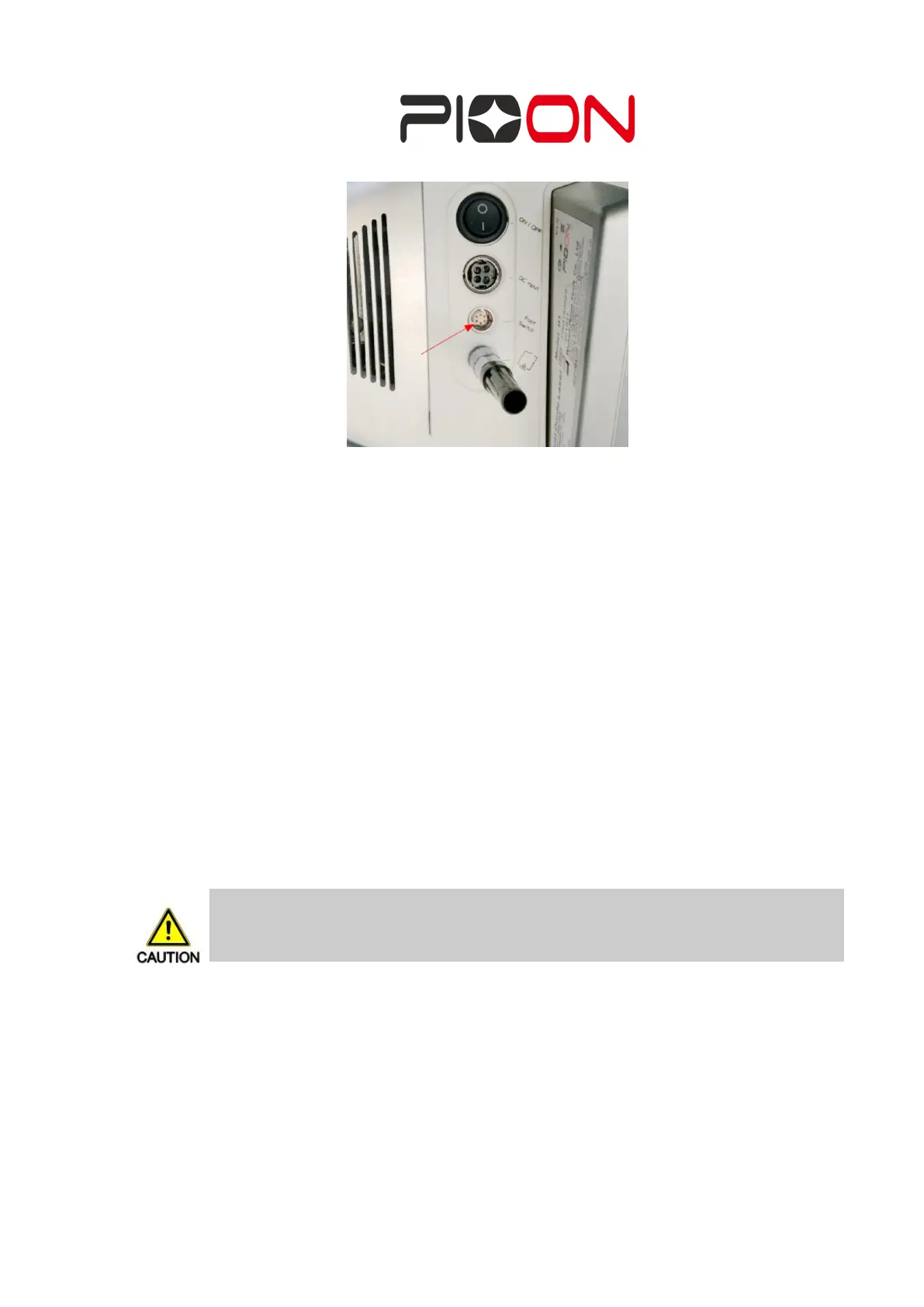
Figure 4 The connecting positions of footswitch
J. Press the power switch to ON position at the left side of the unit. LED display
should then light up.
K. To turn off the unit, press the power switch to OFF position, or press the
emergency button. Once laser was operating long time, should turn off the unit
after fan stop. (When the laser output to stop, fan will cease to work for a period
of time delay)
Emergency shutdown of the other methods
a) press the emergency stop button,
b) shut off the power switch on the power adapter,
c) plucked host plug or power adapter plug.
4.4 Packing and Transporting the
H1
In the event that the
H1
unit needs to be relocated (this does not include moving
within an office or a facility), place the system back into its carrying case with the
following steps:
A. Remove a handpiece from the fiber by slightly loosening compression nut.
Disconnect the footswitch cable, power cord.
Note
NEVER pack or transport the unit with the main power on.


 To Next Page