Page 41 of 69 USER MANUAL
Operation times: it will be counted once when a protocol
emitting duration last more than 10 seconds.
Video: Videos can be played and copied to the device.
7.3.3 Click "Customize" to enter the user-defined interface and create a
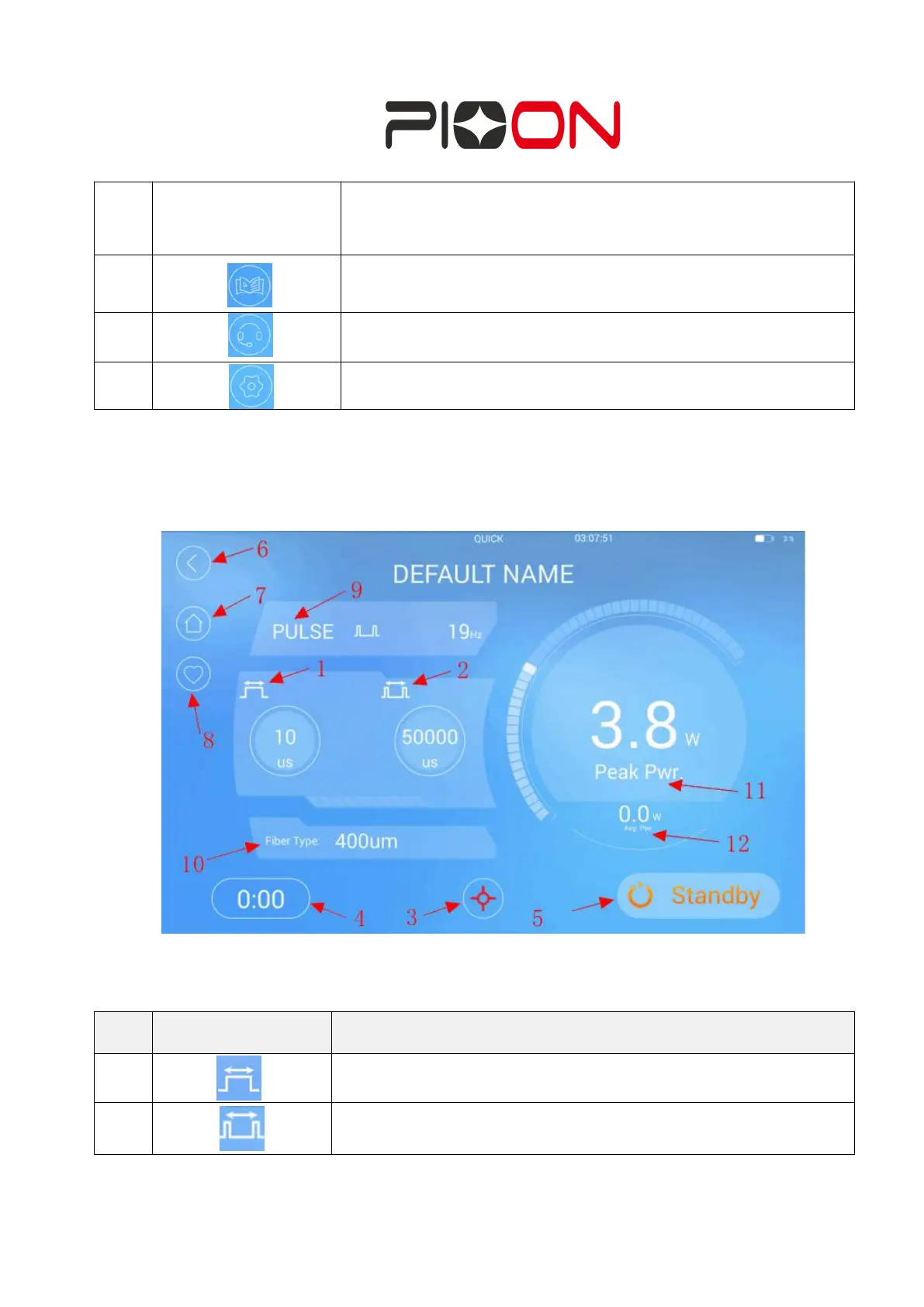
Figure 19 Customized Interface
The meaning of different button in this page are as follow:
Positive Pulse Width: can be set
Negative Pulse Width: can be set


 To Next Page