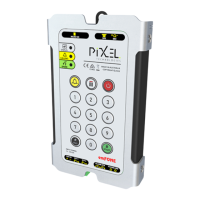
Telephone Line Powered Auto Dialing emFONE
Copyright © 2014 Pixel Technologies Pty. Ltd
3.6.4. Relay ON Time (E) ............................................................................................................ 14
3.6.5. Relay Type (F) ................................................................................................................... 14
3.6.6. Programming the Audio & Relay Settings ........................................................................ 14
3.7. Telephone Line Settings ........................................................................................................... 15
3.7.1. DTMF Transmit Level (A) .................................................................................................. 15
3.7.2. Busy Tone Cadence (B) ..................................................................................................... 15
3.7.3. Programming the DTMF & Busy Tone Settings ................................................................ 15
3.8. Remote Phone Monitoring System (RPMS) ............................................................................. 16
3.8.1. Reporting Conditions ....................................................................................................... 16
3.8.2. RPMS Enable .................................................................................................................... 16
3.8.3. Periodic Reports ............................................................................................................... 16
3.9. Reset to Factory Default .......................................................................................................... 16
4. Operation ......................................................................................................................................... 17
4.1. Membrane Keypad Buttons ..................................................................................................... 17
4.2. Raising an Alarm Call ................................................................................................................ 17
4.3. Commands ............................................................................................................................... 17
4.3.1. Reset Talk Time / Stop Playback of Digital Voice Message .............................................. 17
4.3.2. Hang Up a Call .................................................................................................................. 17
4.3.3. Activate Relay Contacts.................................................................................................... 17
4.3.4. Manual Report ................................................................................................................. 18
5. LED Diagnostic Indicators ................................................................................................................. 18
6. Unit Testing Procedure .................................................................................................................... 19
6.1. Test the Programmed Help Number ........................................................................................ 19
6.2. Dial a Telephone Number and Test the Telephone Line ......................................................... 19
7. Troubleshooting ............................................................................................................................... 20
8. Reference ......................................................................................................................................... 21
8.1. Technical Specifications ........................................................................................................... 21
8.2. Dimensions ............................................................................................................................... 22
8.2.1. Top and Side View ............................................................................................................ 22
8.2.2. Stud Mounting & Grill Cut-out Positioning ...................................................................... 23
8.2.3. Installation using Mounting Clips ..................................................................................... 24
8.2.4. External Speaker & Microphone Stud Mounting and Dimensions (Optional) ................. 25
9. Maintenance .................................................................................................................................... 26
9.1. Replacement Parts ................................................................................................................... 26


 To Next Page