High Definition PoE IP Phone (1-Line)
VIP-1010PT
- 42 -
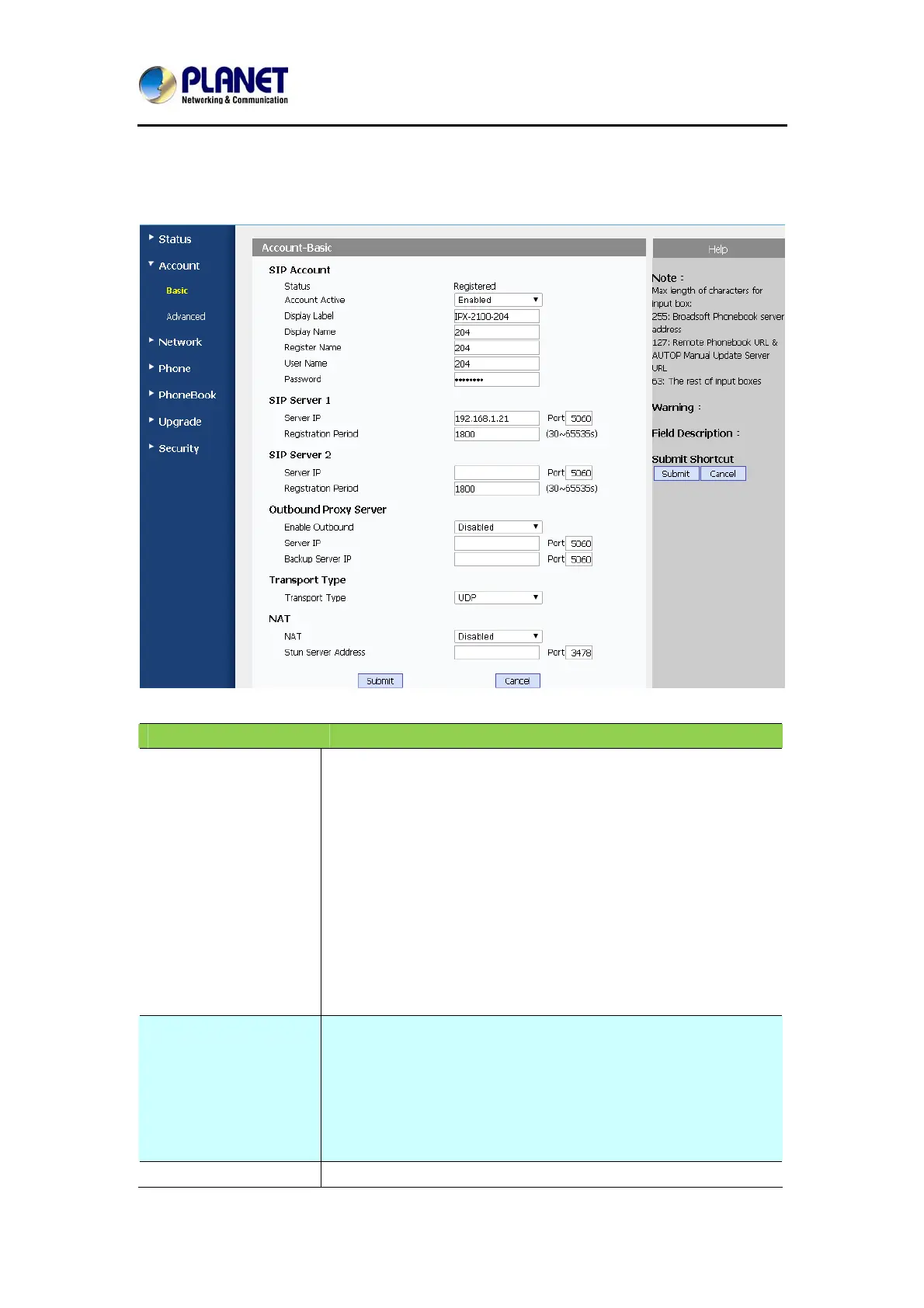
5.4 Account / Basic
Field Name Explanation
SIP Account To display and configure the specific Account settings.
Status: To display register result.
Display Label: Label is displayed on the phone’s LCD
screen.
Display Name: Name is sent to the other call party for
displaying.
Register Name: Allocated by SIP server provider, used for
authentication.
User Name: Allocated by your SIP server provider, used
for authentication.
Password: Used for authorization.
SIP Server 1 To display and configure Primary SIP server settings.
Server IP: SIP server address; it could be an URL or IP
address.
Registration Period: The registration will expire after
registration period. The IP phone will re-register
automatically within registration period.
SIP Server 2 To display and configure Secondary SIP server settings.



 To Next Page