User’s Manual of WGSW-20160HP/WGSW-24040HP series
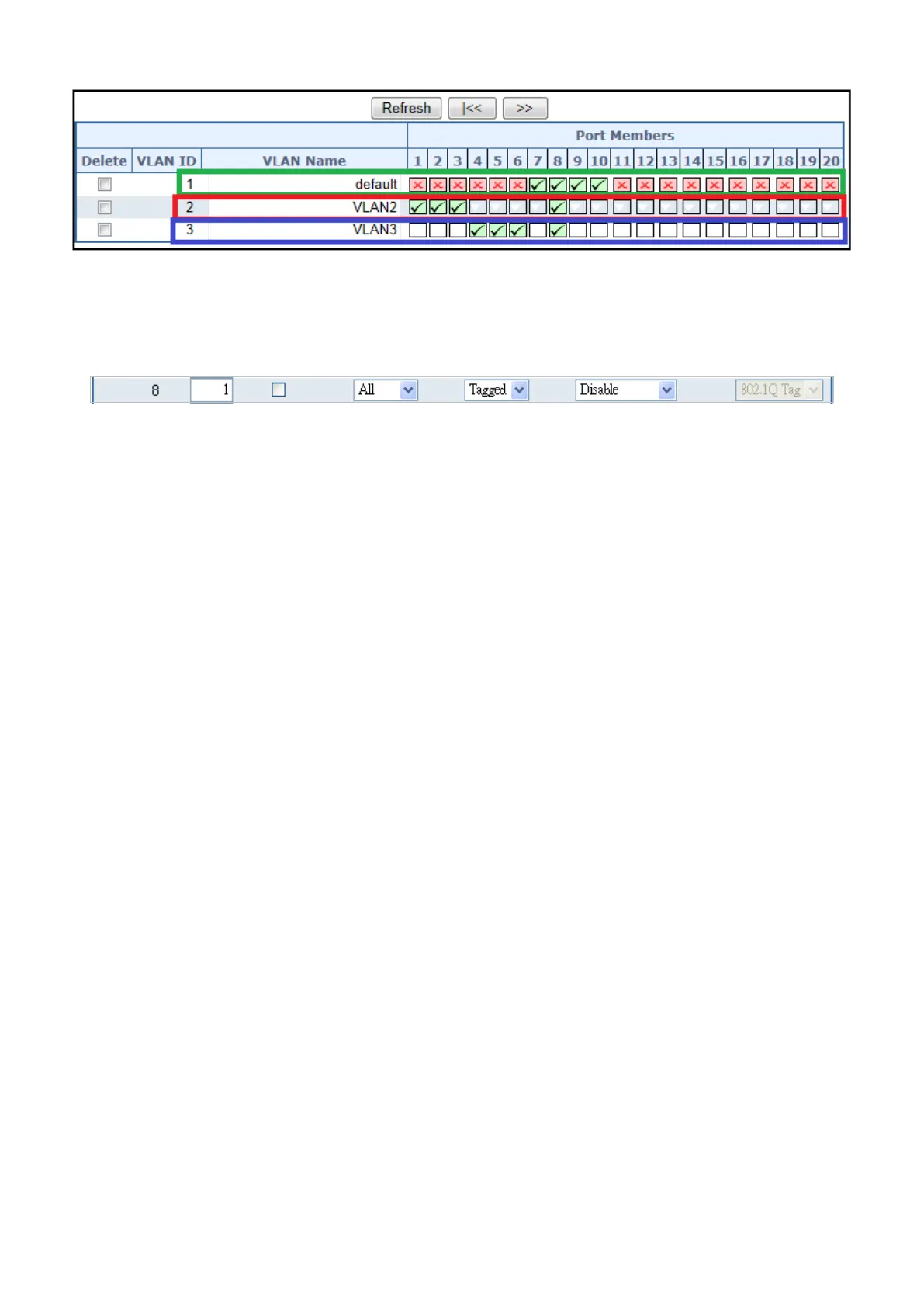
Figure 4-6-12: VLAN Overlap Port Setting & VLAN 1 – The Public Area Member Assign
5. Specify Port-8 to be the 802.1Q VLAN Trunk port, and the Trunking port must be a Tagged port while egress. The Port-8
configuration as the following screen in Figure 4-6-13.
Figure 4-6-13: The Configuration of VLAN Trunk Port
That is, although the VLAN 2 members: Port-1 to Port-3 and VLAN 3 members: Port-4 to Port-6 also belongs to VLAN 1. But
with different PVID settings, packets form VLAN 2 or VLAN 3 is not able to access to the other VLAN.
6. Repeat Steps 1 to 5, set up the VLAN Trunk port at the partner switch and add more VLANs to join the VLAN trunk, repeat
Steps 1 to 3 to assign the Trunk port to the VLANs.



 To Next Page
 Loading...











