Rules are associated with a QoS Profile (see above).
To implement QoS on your network, you need to carry out the following actions:
1. Define a service level to determine the priority that will be applied to traffic.
2. Apply a classifier to determine how the incoming traffic will be classified and thus treated by the
Switch.
3. Create a QoS profile which associates a service level and a classifier.
4. Apply a QoS profile to a port(s).
4.8.2 QOS Configuration
QoS settings allow customization of packet priority in order to facilitate delivery of data traffic that might
be affected by latency problems. The IEEE 802.1p Priority specification uses 8 priority levels to classify
data packets. In 802.1p compliant devices, a tag inserted into the packet header is used to identify the
priority level of data packets.
he Switch supports four kinds of Traffic classifiers: 802.1P/ Port/MAC/VLANs and four queues. T
NOTE: COS: Priority classifiers of the Switch forward packet. COS range is from 0 to 7. Seven is the
high class. Zero is the less class. The user may configure the mapping between COS and Traffic classifiers.
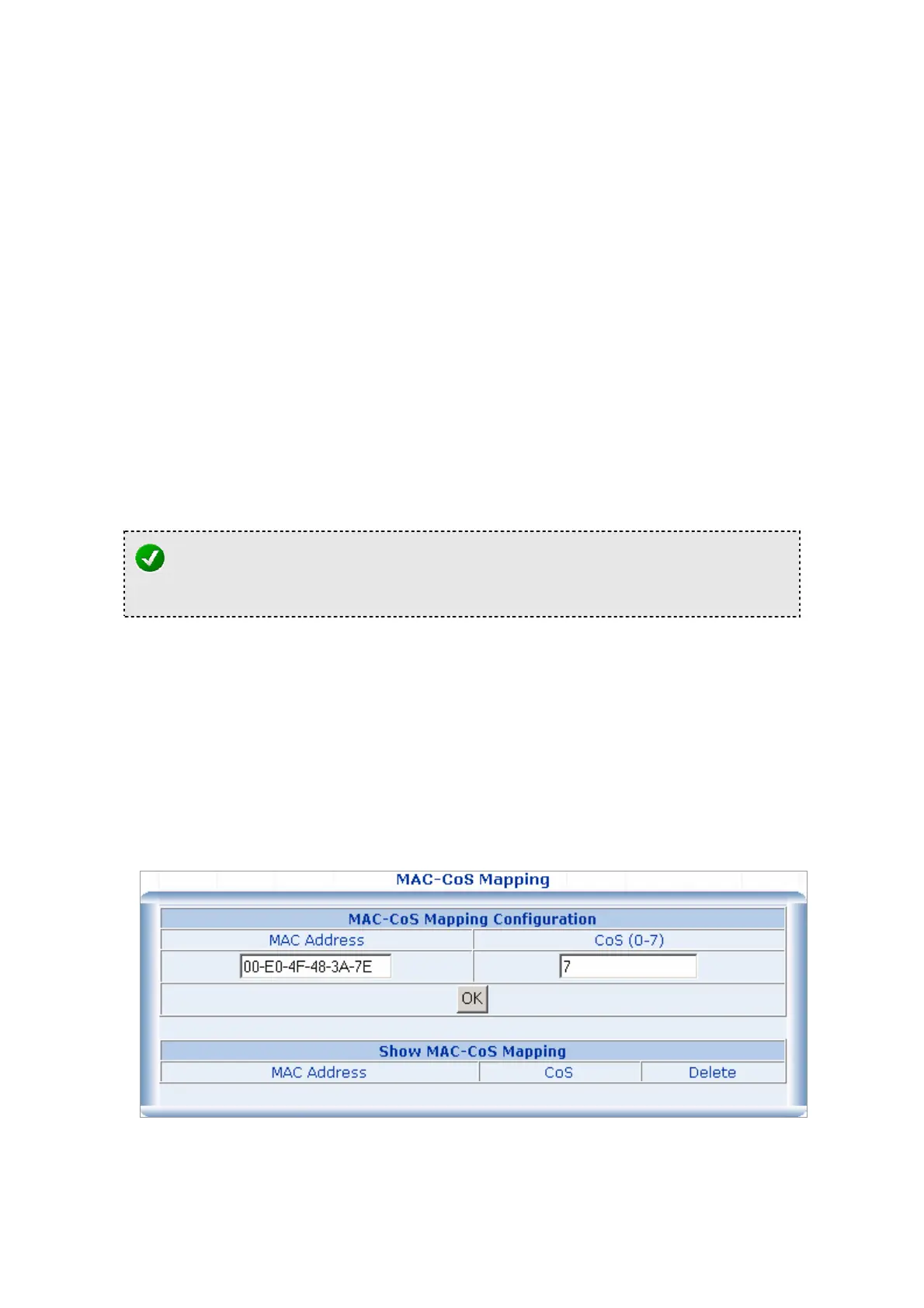
1. MAC-COS Mapping
QoS settings allow customization of MAC address to Traffic classifiers.
1. Fill the MAC Address field in the MAC-CoS Mapping Configuration Table in the In the format
“xx-xx-xx-xx-xx-xx “.
2. Fill the mapping number in the CoS (0-7) field.
3. Click on the “OK” button to save.
4. To remove the MAC-CoS mapping item, simply click on the “Delete” button in the Show MAC-CoS
Mapping table.



 To Next Page
 Loading...








