114
Mini100/Mini2
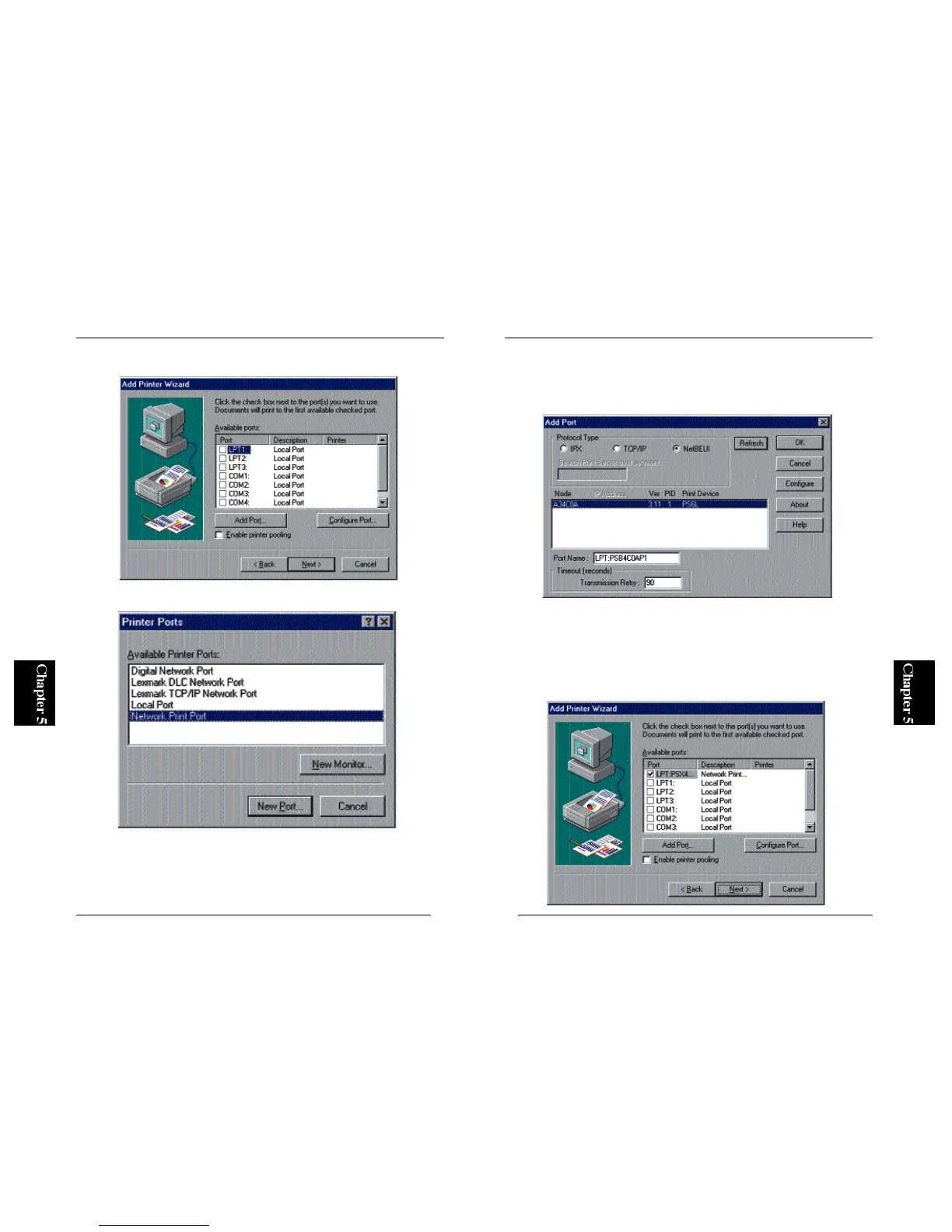
4. A window labeled “Add Port” will be displayed. Click on the NetBEUI
tab. After a while, the wizard detects your print server. Click on the print
server name (under Device Name) and click on the OK button.
※ If your print server is not detected, refer to Section 4-2-a in Chapter 4 and
check whether NetBEUI protocol has been installed.
5. The new port should be now visible in the Available Ports list (see
below). Click on the Next button.
113
Mini100/Mini2
2. In the next screen, click on the “Add Port” button to continue.
3. Select “PS Port” and click on the New Port button.
※ The PS Port item will not be shown if the utility is not installed properly.
Please go to Section 3-2 in Chapter 3 and install the program using “Setup
Diskette”.



 To Next Page