118
Mini100/Mini2
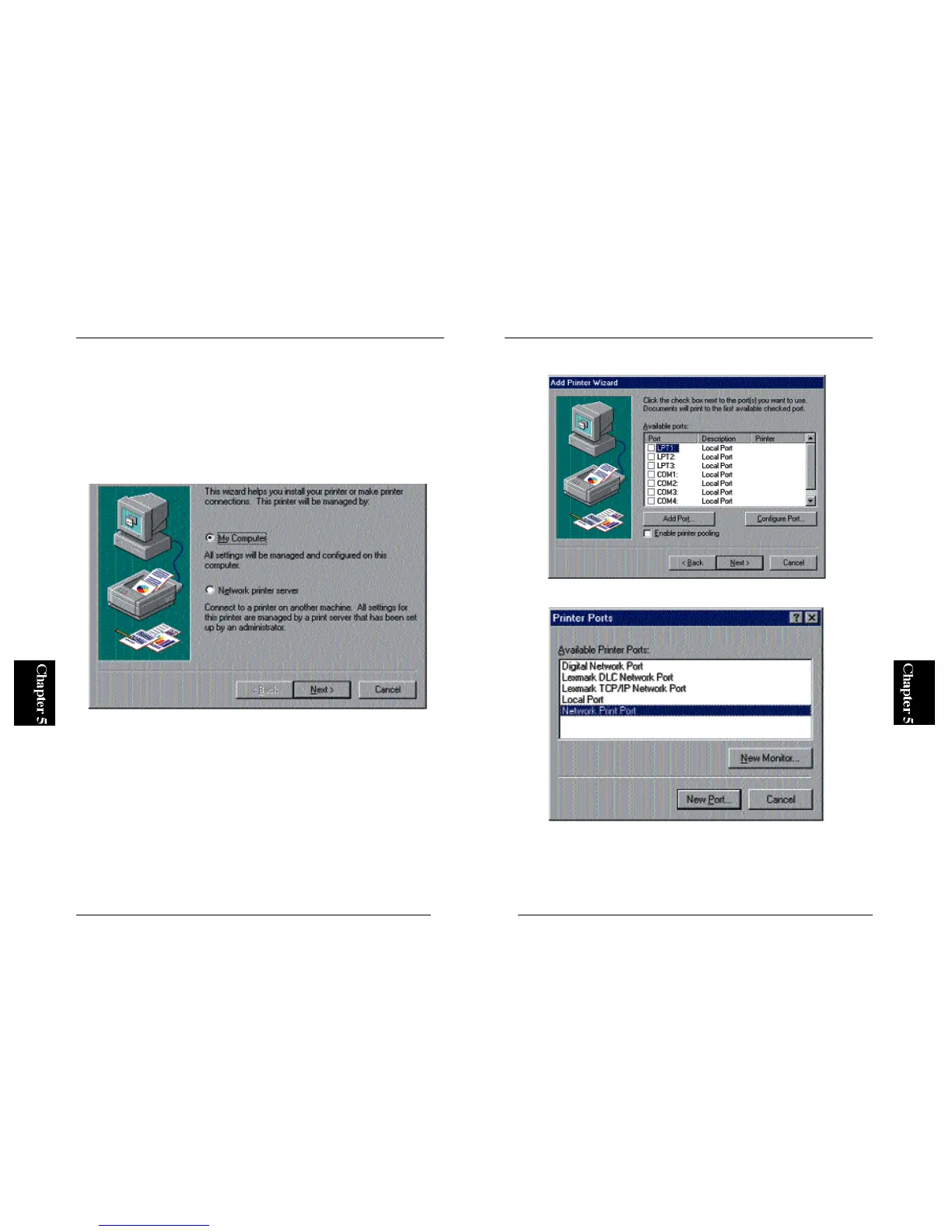
2. In the next screen, click on the “Add Port” button to continue.
3. Select “PS Port” and click on the New Port button.
※ The PS Port item will not be shown if the utility is not installed properly.
Please go to Section 3-2 in Chapter 3 and install the program using “Setup
Diskette”.
117
Mini100/Mini2
※ If the test page does not come out properly, refer to Appendix A for
troubleshooting information.
● 5-3-b Using IPX Protocol and PS Port
1. From the Start button, select Settings and then Printers. Double-click on
the Add Printer icon. Now, select My Computer and click on the Next
button.



 To Next Page