12 After printing
12.1 Removing build platform from printer
NOTE
To avoid getting resin inside the printer, always remove the build platform
before removing the basin.
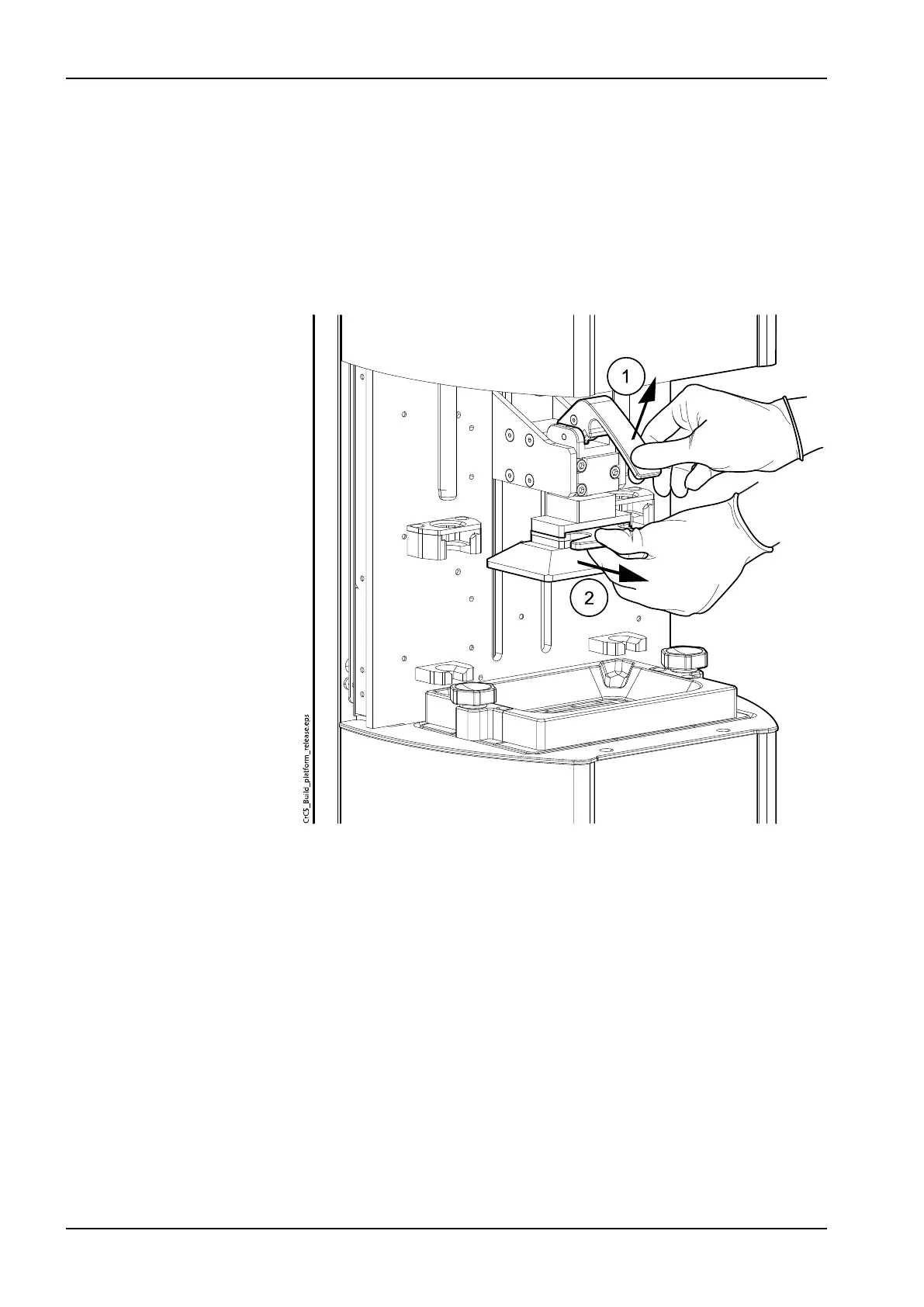
Remove the platform by lifting the handle (1) and pulling out the platform (2).
12.2 Removing prints from build platform and post-processing
The prints should be removed using the scraper provided.
CAUTION
Be careful with not to damage yourself or the platform surface with the
scraper when removing the print from the platform.
NOTE
Trying to remove the print working only from one corner can cause the print
to break.
1. Place the platform long edge down on a flat surface covered with an
absorbent cloth to catch any resin.
12 After printing
40 Planmeca Creo C5 User's manual



 To Next Page