Planmeca Proline EC Panoramic X-ray 31
ADDITIONAL FUNCTIONS
User's manual
11 ADDITIONAL FUNCTIONS
11.1Vertical sector selection
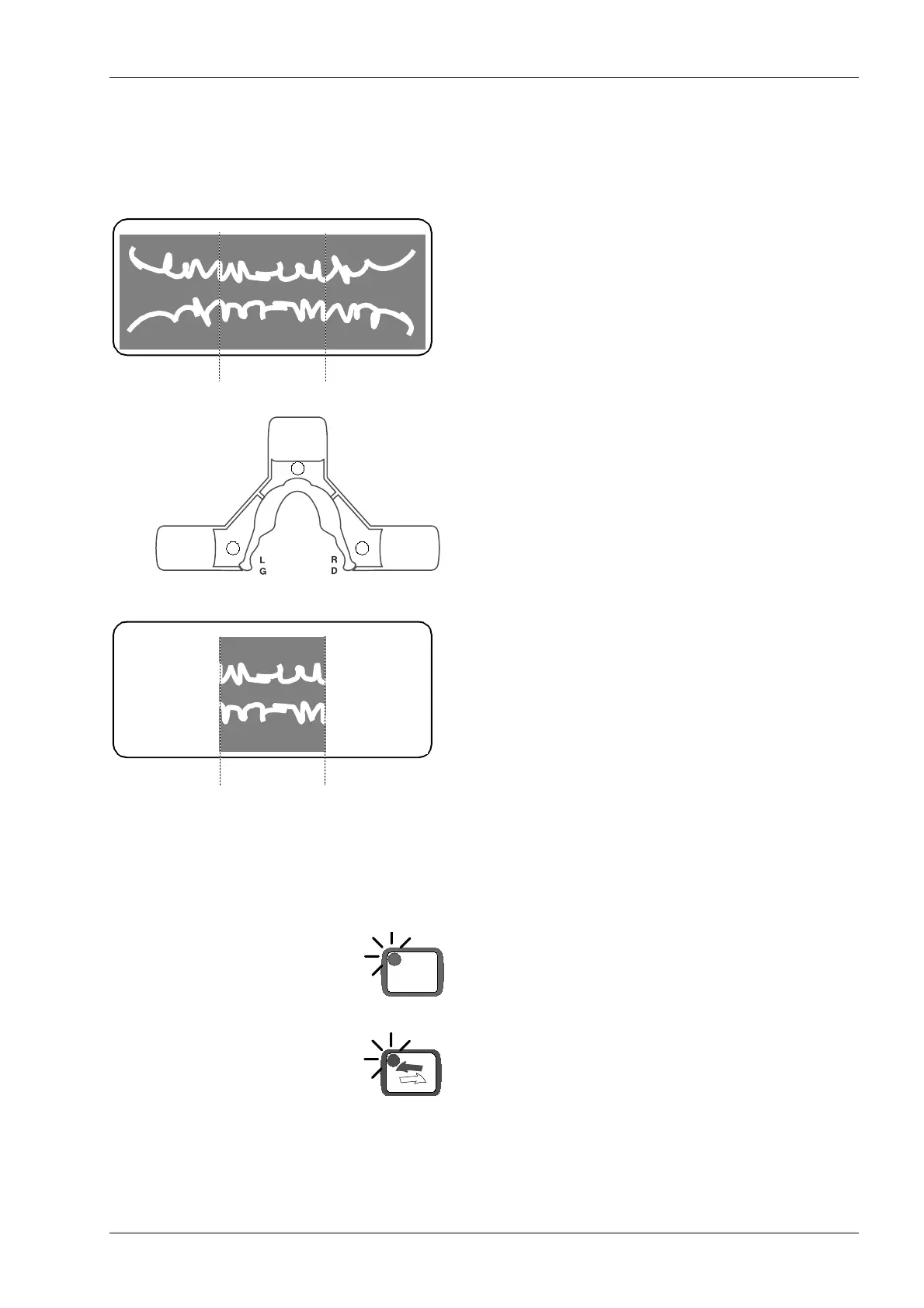
This feature allows exposures of different vertical jaw
sectors to be taken. This will reduce the radiation dos-
age as only diagnostically interesting areas need to be
X-rayed.
Press the required sector keys to SWITCH OFF the
radiation exposure in those sectors. The correspond-
ing indicator lights will COME ON. Note also that the
exposure time will decrease.
For example if keys A and C are pressed these two
sectors will NOT appear on the film. The exposed film
will look like the picture opposite.
11.2Automatic cassette carriage return
The X-ray can be set so that the rotating assembly will
automatically return to the ready position and the cas-
sette carriage to the loading position at the end of an
exposure.
Press the control key to enter the additional function
mode. The indicator light will come on.
Press and hold down the return key until the indicator
light comes on, about four seconds. The automatic
cassette carriage return function is now activated.
To switch the automatic cassette carriage return off
repeat the above keying sequence. The indicator lights
will go out.
Sector C Sector B Sector A
A
C
B
Sector B
CTL














 To Next Page