Page 11
Ending calls
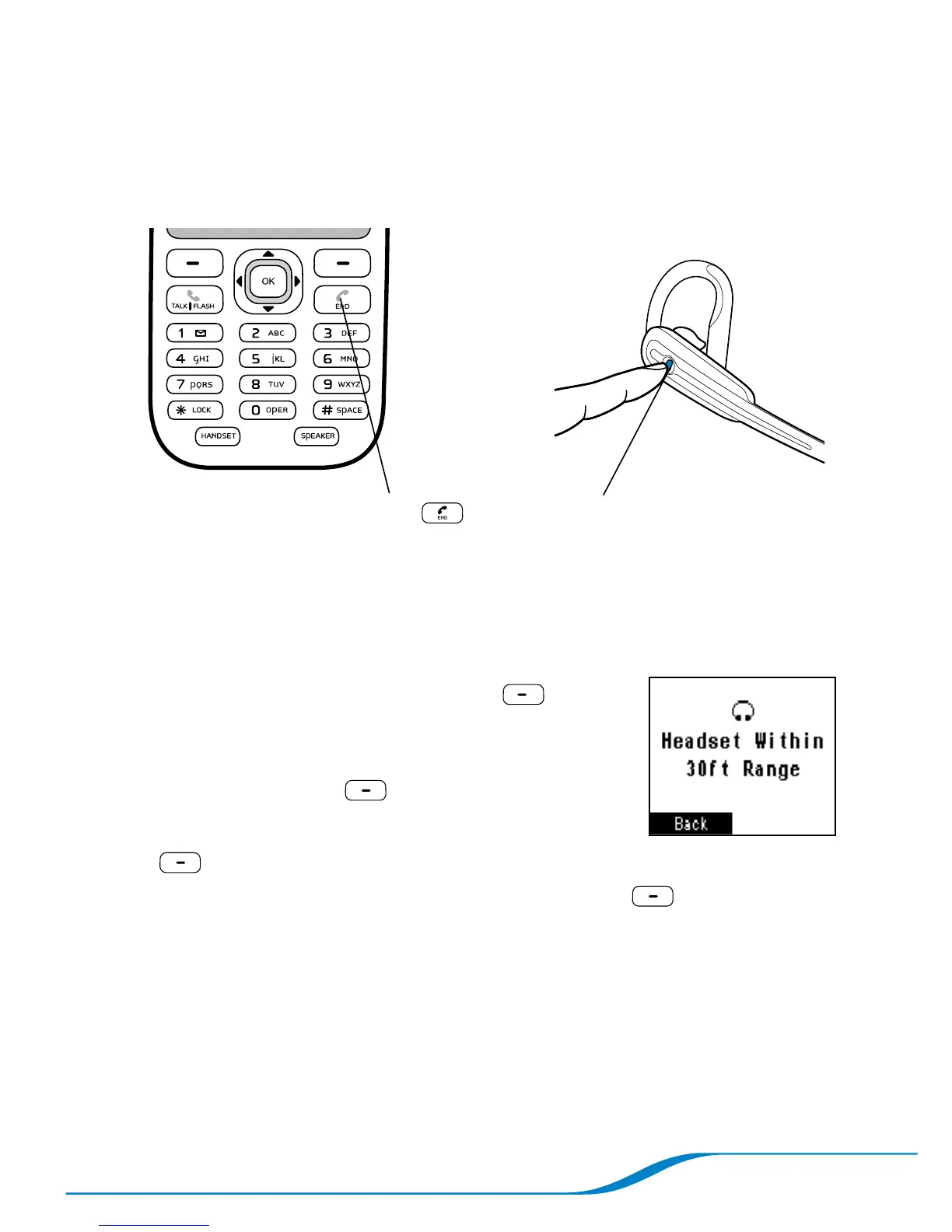
To end a call, press either of the following buttons:
Handset Headset
Press End .
Press for under 1 second or until you
hear a single high beep.
Locating the headset from the handset
You can determine whether your headset is within range (up to 33 feet)
of your handset.
On the main screen, press Menu
(left soft key).
Use the navigator to highlight Initial Setup,
and press Select (right soft key).
Highlight Headset/Base, and press Select
(right soft key).
Highlight Locate Headset, and press Select (right soft key).
Tip: If your headset is more than 33 feet away from your handset, your screen
displays “Headset Out of Range.” While searching for your headset, you can
carry your handset with you until the screen displays “Headset Within Range.”
1.
2.
3.
4.




 To Next Page