Page 14
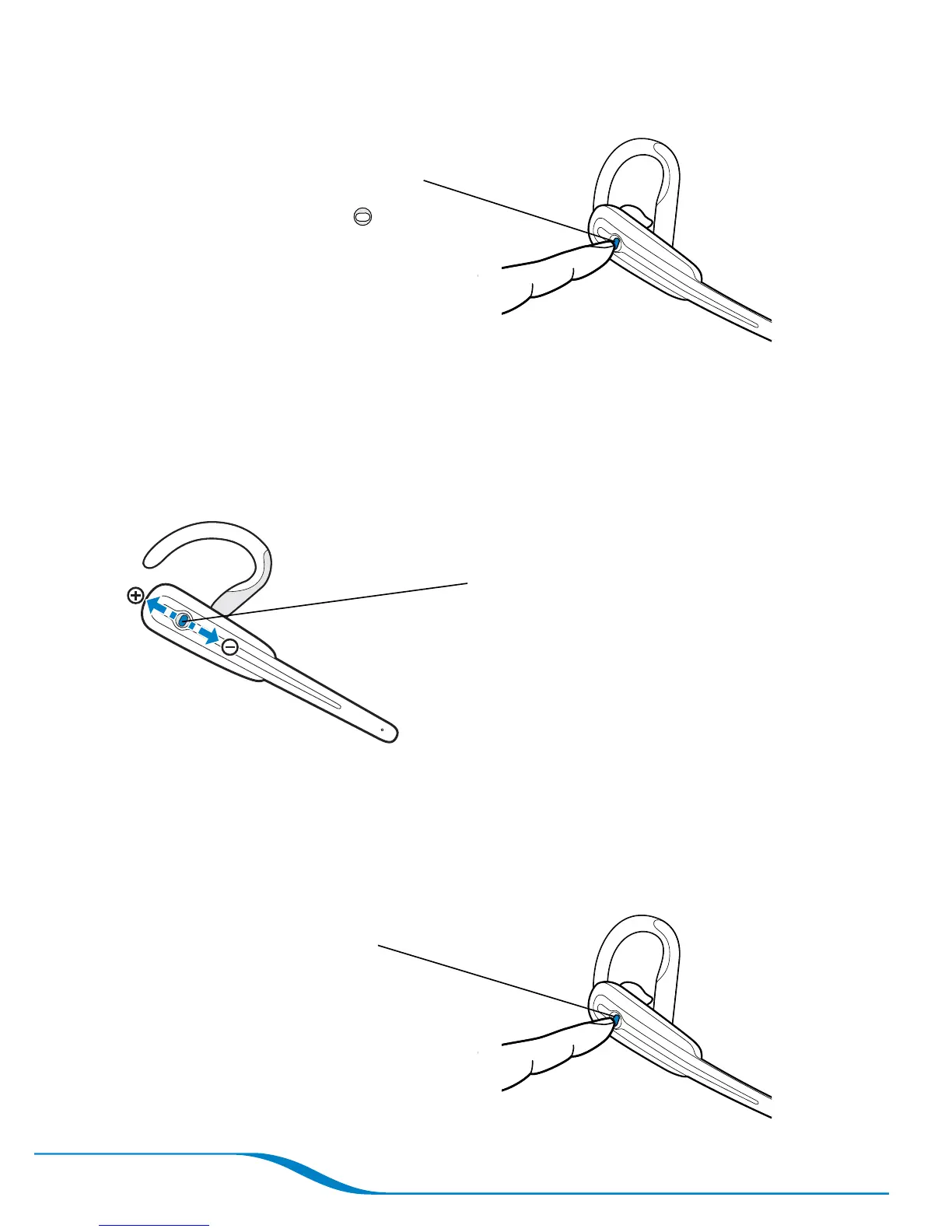
Receiving calls using your headset
When you’re using the headset,
a triple beep signals an incoming
call. Press the Headset
button for under 1 second or
until you hear a single high beep.
Tip: You can use the headset to answer a second incoming call; see
“Receiving a second incoming call” on page 22.
Adjusting call volume using your headset
Press up or down to adjust call volume
when you are using your headset (do
not press inward).
Tip: For your comfort and health, always listen to calls at a moderate volume.
For complete safety information, see page 53.
Ending calls using your headset
Press inward for under
1 second




 To Next Page