Page 35
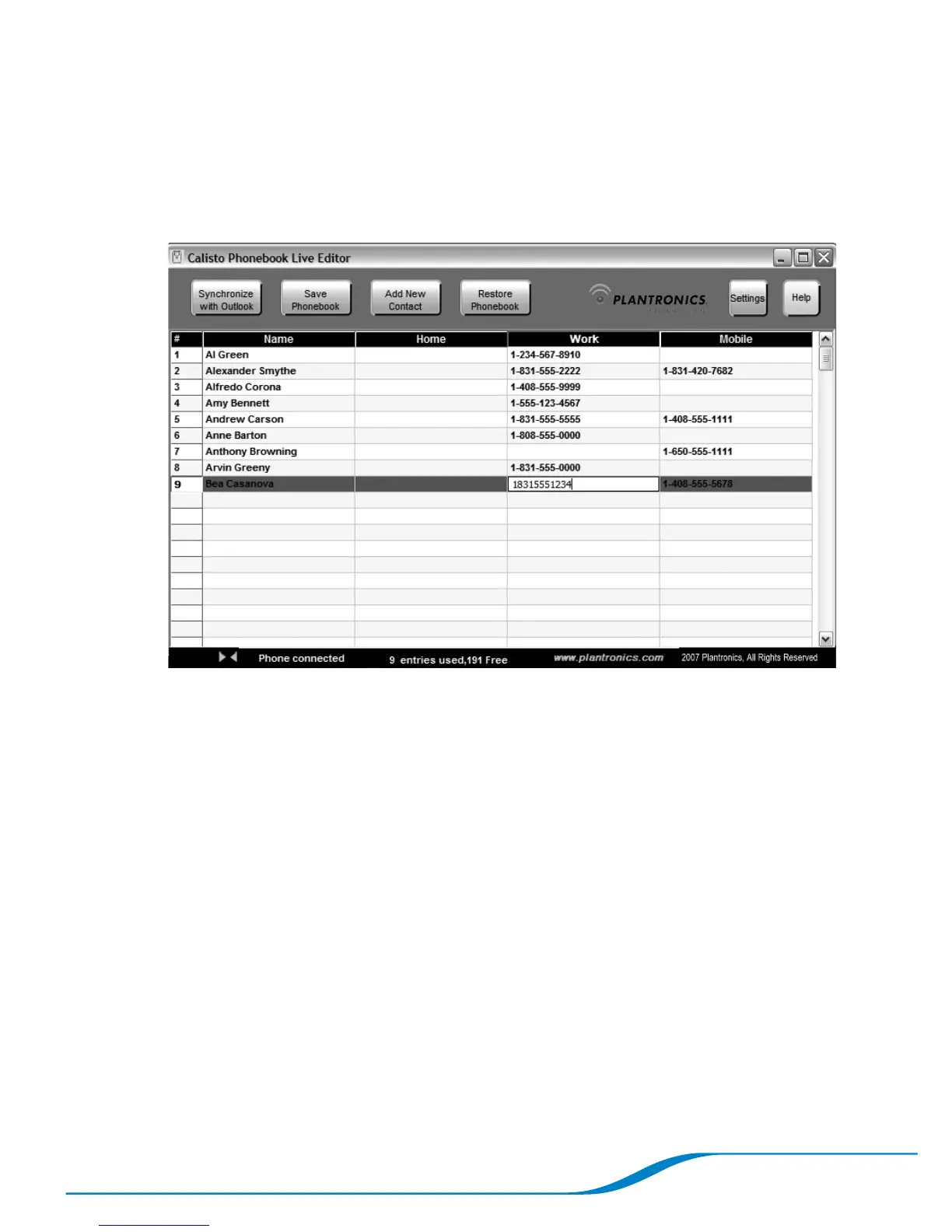
Editing an Outlook contact
On the Plantronics Phonebook Editor screen, click inside the cell
of the contact information (name, phone number, and so on) you
want to edit.
Enter the updated information, and press Enter or click inside of a
different cell.
1.
2.





 To Next Page