Page 31
If the voicemail indicator icon appears after you have retrieved all
of your voicemail messages, you can reset the icon. Follow steps 1–3
in “Setting up quick voicemail,” above, and then highlight Indicator
Off and press Select (right soft key). This is a temporary reset
only; the next time you get a new voicemail message, the icon
appears on the screen.
Transferring Outlook Contacts into
Phonebook
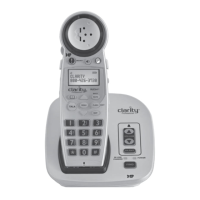
The Calisto Pro Series has a USB port and software CD that lets you
transfer contacts from your computer’s Microsoft Outlook program
into the phonebook on your handset.
To use this feature, you must first install the software from the Calisto
Pro Series CD.
System requirements
Operating systems: Windows
®
2000, XP, Vista
Outlook: Outlook
®
2000, 2002, 2003, 2007, Outlook Express
Installing the software
Insert the Software CD into your computer’s CD/DVD drive.
If the CD doesn’t automatically run, double-click the My
Computer icon on your computer desktop and select the CD.
Double-click the icon.
Follow the onscreen instructions to install the software.
•
•
1.
2.
3.




 To Next Page