13%#(./"!<"1*++.1()+2"&*-/"
#$%&'(%()*+"3%/9>%/."
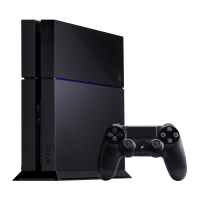
Connecting your PlayStation 4 and DUALSHOCK 4 Wireless Controller is the first step to playing
with PlayStation. Be ready to locate both the system and controller, along with everything else
that comes in the box (refer to page 8). You will need everything except for the mono headset in
order to power on and use your PlayStation 4.
1*++.1()+2"&*-/"#$%&'(%()*+","
Your PlayStation 4 requires a power source to be powered on and a device that displays in
HDMI. The system can be powered on by connecting the cables that come with your PS4 to the
console and the appropriate outlets.
(*"1*++.1("&*-/"#',"
1. Insert one end of the HDMI cable into the HDMI OUT port found on the back of the
PlayStation 4.
Insert the other end of the HDMI cable into the HDMI input port found on the selected
display (HDTV, Monitor, Laptop, etc.)
2. Insert the input end of the AC power cord into the AC IN connector found on the back of
the PlayStation 4.
3. Insert the socket end of the AC power cord into a nearby electric outlet.
Your PlayStation 4 is now connected to an output display and a power source. Your PlayStation
4 is now ready to recognize the DUALSHOCK 4 wireless controller.
"
"
"


 To Next Page