(*"#/.#%/."(3."'&'(.0"'*5(>%/."-#9%(."5*/")+'(%$$%()*+"
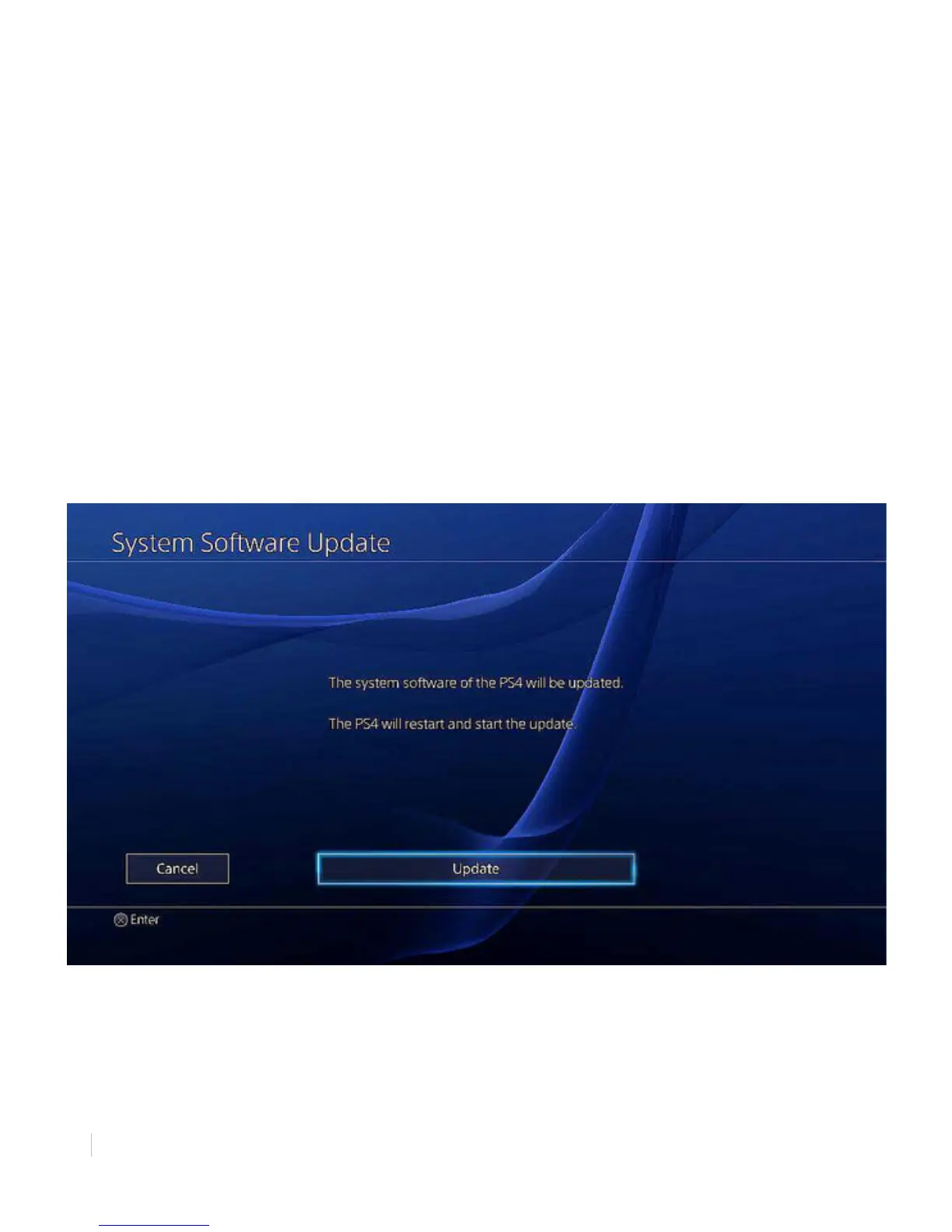
1. Select [Update] and press X to continue.
2. Wait for the installation preparations to complete. As the empty preparation bar fills, it will
become white. The percentage below the bar will increase from 0% to 100% completion.
Upon completion of the preparation installation, PS4 will restart itself. Following the reboot, the
console will enter the installation process.
(*")+'(%$$"(3."'&'(.0"'*5(>%/."-#9%(."
1. Wait for the installation to complete. The empty installation bar fills, it will become white. The
percentage below the bar will increase from 0% to 100% completion.
2. PlayStation 4 will restart itself. Press the PS button to continue.
3. Select the user of the DUALSHOCK 4 wireless controller.
Figure 12: System Software Update Download Complete
The System Software Update is now complete. You can now access PlayStation Network: your
all-access pass to an unrivaled entertainment experience.



 To Next Page