Section 1: Getting Started
PX-760 Installation and Users Manual 7
Minimum Configuration to Use the PX-760
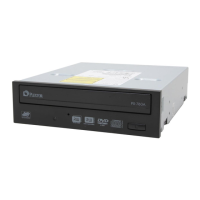
Here’s what you’ll need in order to install and use the PX-760 drive.
• Computer: Pentium 4, 1.4-GHz or faster CPU.
• Minimum RAM: 256 MB.
• Interface:
Model PX-760A requires an IDE ATAPI interface.
Model PX-760SA requires a Serial ATA 1.0 interface that
supports the ATAPI command set.
• Hard disk size: To write to a CD in image mode (that is, to write an
image of a CD to your hard disk), you need 1 GB of free space. For a
DVD, 10 GB of free space is recommended. (For more accurate
guidelines, see the help files or documentation for the recording
software you’re using.)
• Operating System:
Model PX-760A requires Windows XP, Windows XP 64-bit, or
Windows 2000.
Model PX-760SA requires Windows XP, Windows XP 64-bit, or
Windows 2000.
What You Can Do with the PX-760
Just look at some of the things you can do with your PX-760:
• Record slide shows or digital video onto DVD+R DL, DVD-R DL,
DVD+R, DVD-R, DVD+RW and DVD-RW discs.
• Play DVD-ROM, DVD+R DL, DVD-R DL, DVD+R, DVD+RW,
DVD-R, and DVD-RW discs.
• Record data or audio onto writable or rewritable CD media.
• Play music CDs.
• Save photos and other images on rewritable or writable CDs.
• Create a CD or DVD “sneakernet” to share information with
colleagues—just use software to drag and drop files onto DVD+R,
DVD+RW, CD-R or CD-RW media, then continue adding files and
sharing the same disc.
• Archive images and video to DVD or CD.
• Master new software programs on DVD or CD.


 To Next Page