Section 2. Installing the PX-760A Internal ATAPI Drive
22 PX-760 Installation and Users Manual
Changing the Mode Jumper on Your PX-760A
Drive
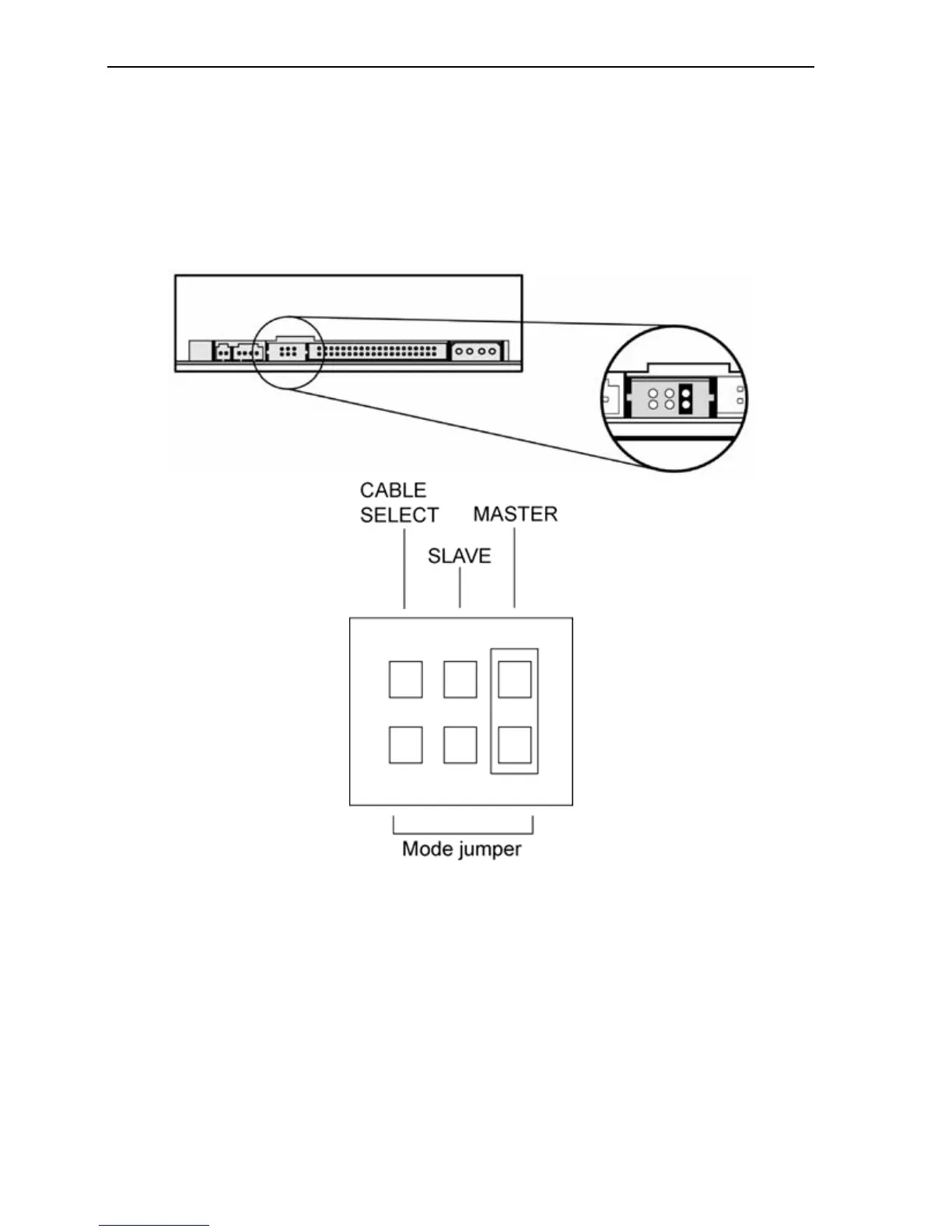
The drive arrives from the factory with its mode jumper set to Master.
(A function is ON if the jumper is installed and OFF if the jumper is
removed.)
Figure 6: Factory settings for mode jumper at the rear
of the PX-760A drive
Changing to a Master, Slave, or Cable Select
The Master/Slave/Cable Select setting for the drive is determined by the
mode jumper. The jumper is placed over one of the sets of mode pins.
To change the drive from Master to Slave or to Cable Select, you must
move the jumper.



 To Next Page