Section 2. Installing the PX-760A Internal ATAPI Drive
PX-760 Installation and Users Manual 17
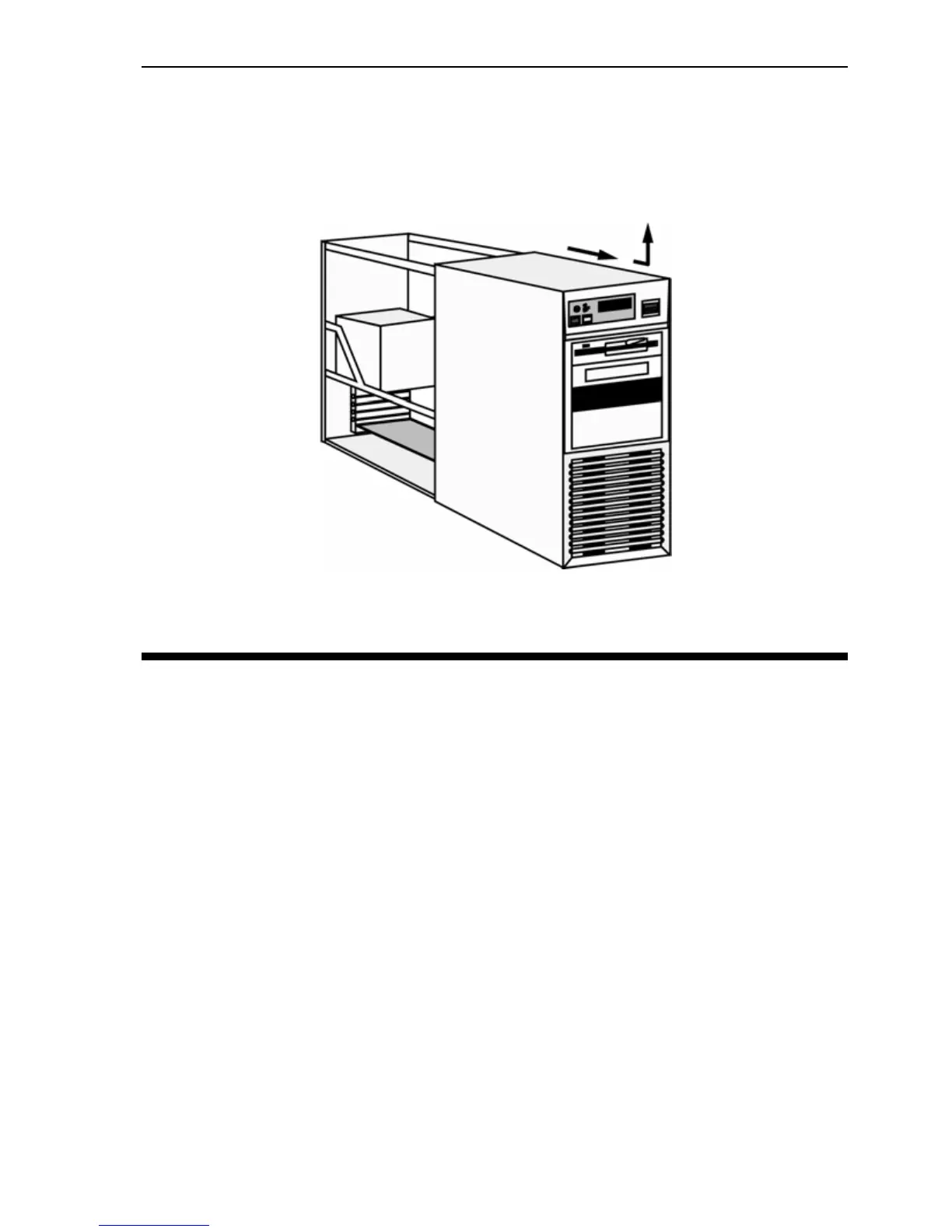
2. Remove your computer’s cover, following the directions provided by
your computer’s manufacturer. Typically, this involves loosening or
removing several screws on the back panel of your computer and
sliding off the cover. See
Figure 3 for an example.
Figure 3: Removing a typical computer's cover
Determine Your Existing IDE Configuration
With your computer open, determine the existing IDE configuration.
You can do this by looking at the IDE ribbon cable (or cables—there
may be two) and seeing what is connected to them.
One end of the IDE cable connects to the IDE port on your computer’s
motherboard; and there are usually two other connectors for attaching
peripheral devices such as a hard disk, DVD or CD-ROM drive, or your
PX-760A drive. If there are two devices, one is configured as Master
and the other the Slave, as indicated by the position of jumpers on the
back of the drive.
If your computer is set up for Cable Select, or CSEL, both devices will
be jumpered as Cable Select. In older computer, this configuration
required a special Cable Select cable.


 To Next Page