PX-760 Installation and Users Manual 11
2. Installing the
PX-760A Internal ATAPI Drive
This section explains how to physically install your PX-760A internal
ATAPI drive in your computer.
PX-760A Drive Features and Controls
Before proceeding, become familiar with the controls and features of
your Plextor drive. Match the parts of your drive to the illustrations
below.
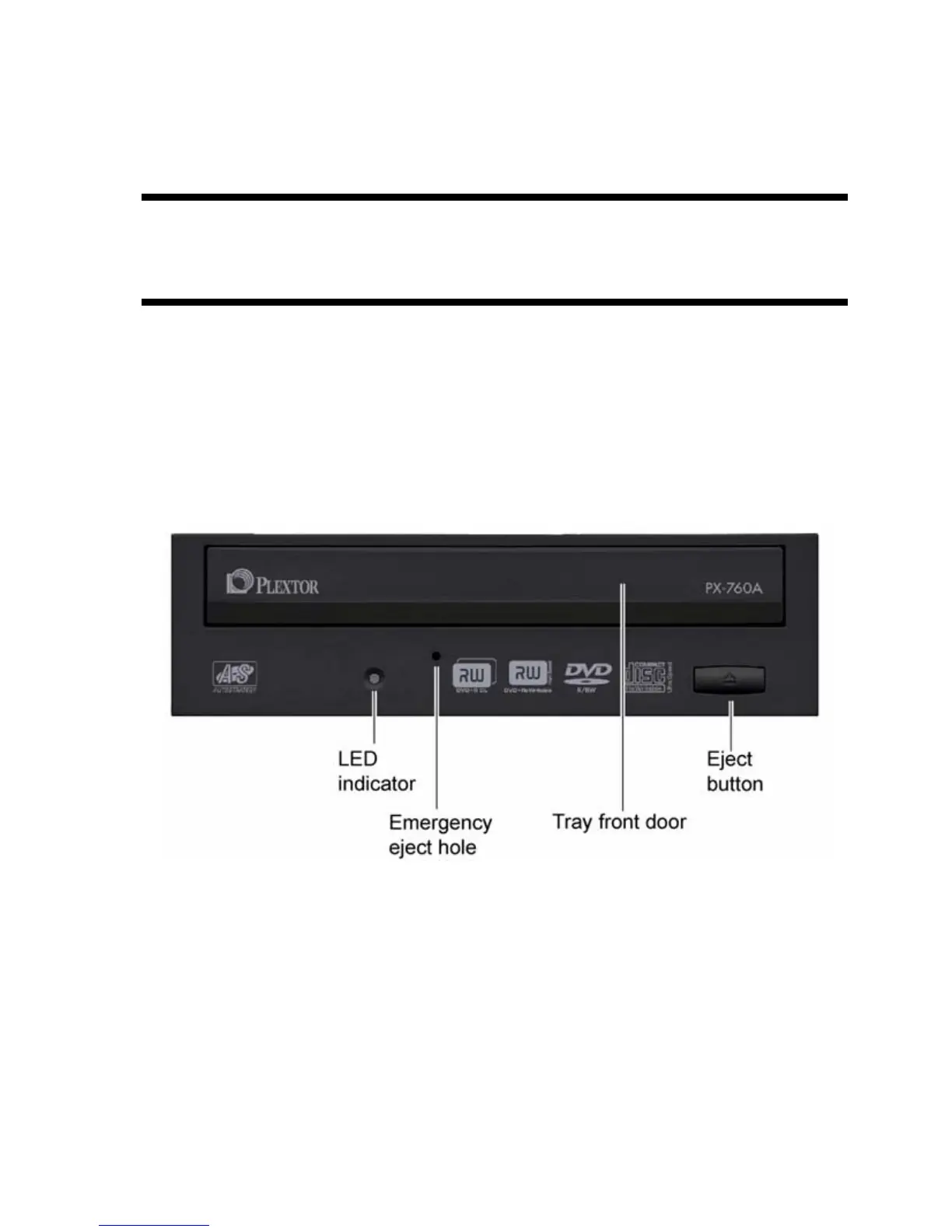
Front Panel—PX-760A Internal Drive
Figure 1: Front panel of the PX-760A internal ATAPI drive
• LED indicator: Illuminated yellow for disc initializing, reading, and
ejecting. Illuminated amber for writing. (Blink rate indicates writing
speed.) Illuminated green during standby and when Buffer Underrun
Proof Technology is operational. Illuminated yellow, green and
amber when AUTOSTRATEGY is operational.



 To Next Page