Section 2. Installing the PX-760A Internal ATAPI Drive
PX-760 Installation and Users Manual 19
Confirm That You Have an 80-Conductor IDE Cable
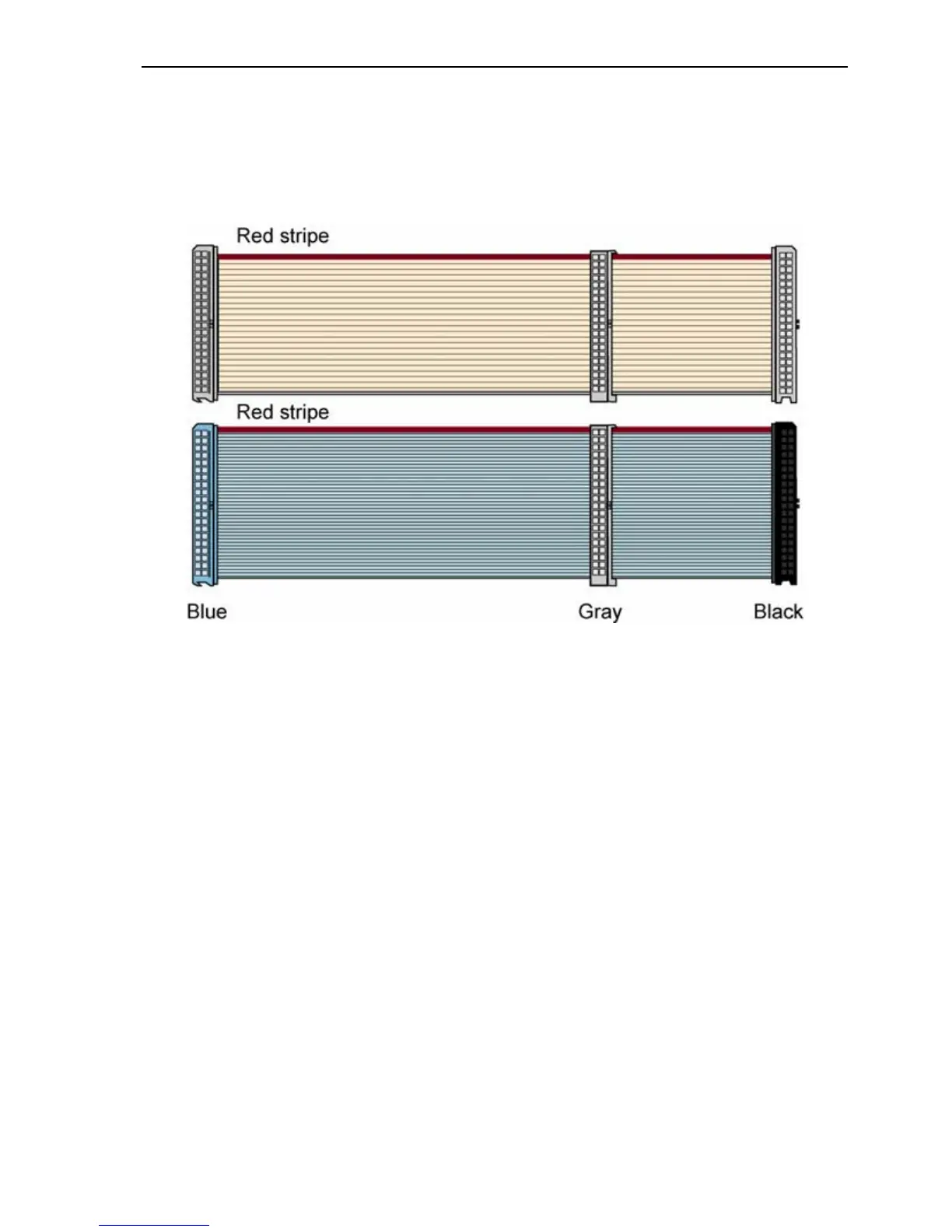
How can you tell? The 80-conductor cable is slightly wider than the
older 40-conductor version. The wires in the 80-conductor version are
narrower, too.
Figure 4: Comparing the older 40-conductor cable (top) to the new 80-
conductor type (bottom). Be sure to use the 80-conductor cable.
The extra IDE/ATA cable shipped with your PX-760A is the new 80-
conductor version. So if you have an older 40-conductor cable, replace it
with the 80-conductor cable that came with your Plextor drive. (Or
purchase an 80-conductor IDE/ATA cable at an electronics supply
store.)



 To Next Page