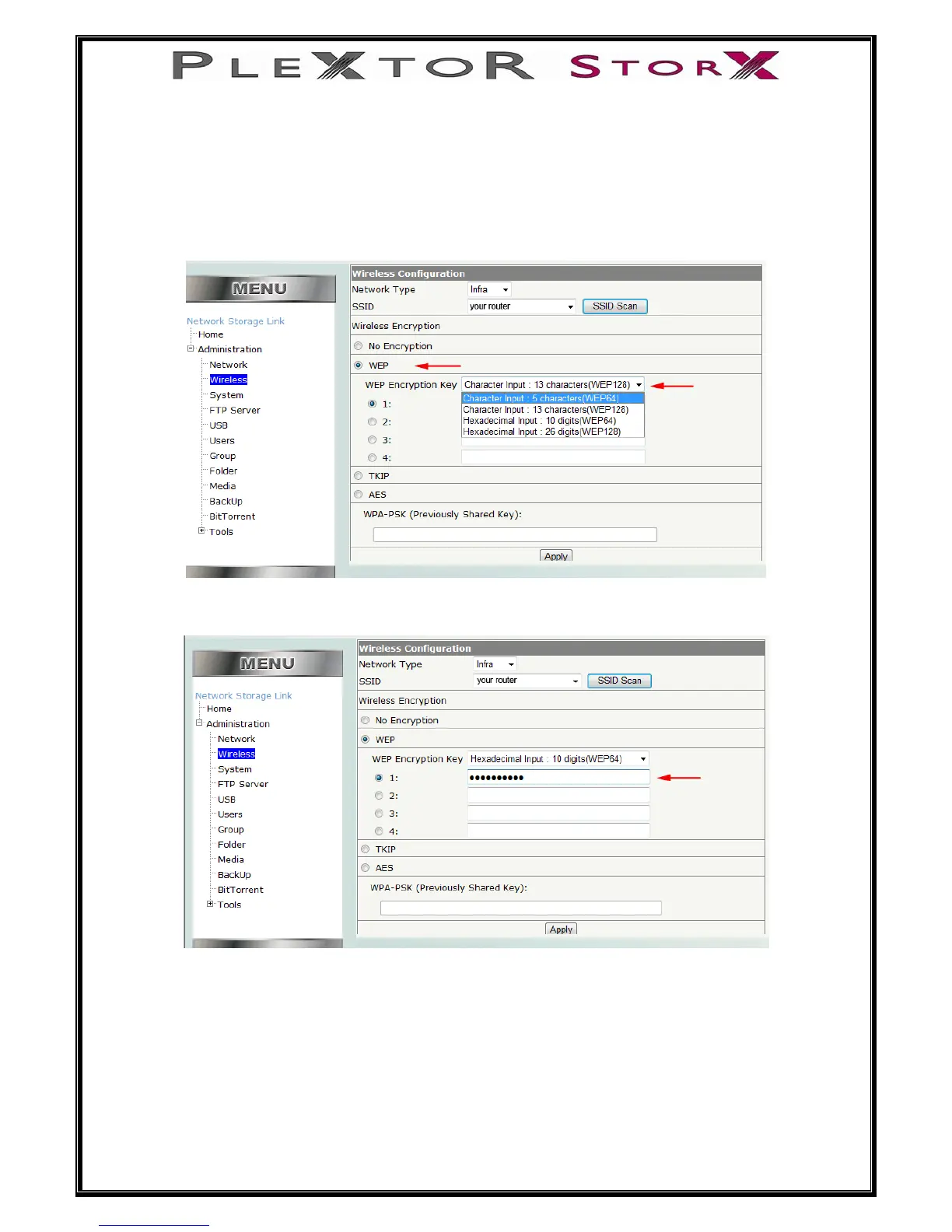
If you router does have encryption (security key).
Select either, WEP, TKIP or AES.
WEP
If your router is protected by a WEP KEY, select WEP, then from the pull down menu
select the type of WEP key you have.
Enter the WEP key then select Apply
16 of 46
Remove LAN cable and restart NAS – NAS will now function in wireless mode.


 To Next Page