Section 9: Media
UPnPAV
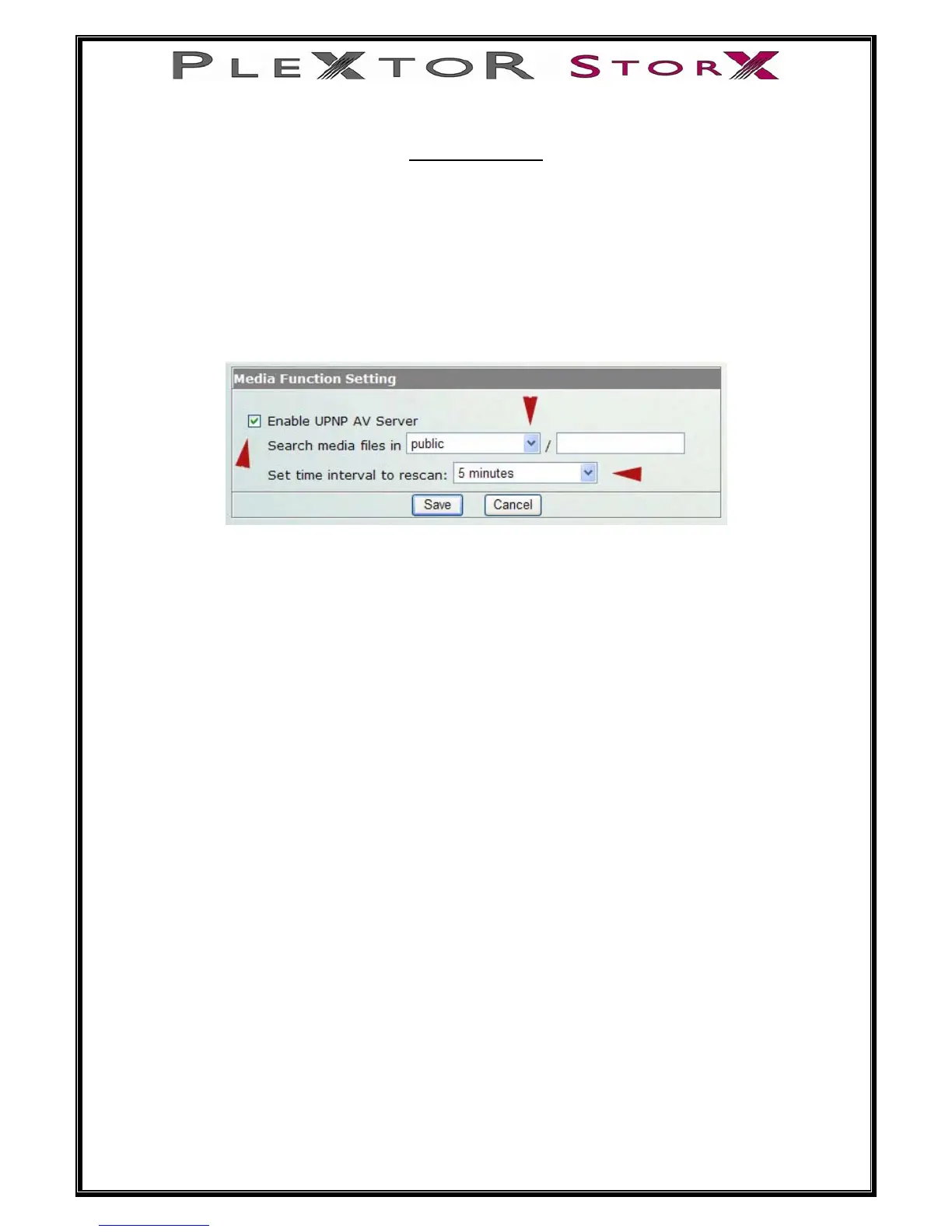
This device supports UPnP AV server, which allows users to play media files with
UPnP client (ex. DMA devices). Follow the steps below to enable this function:
1. Select the Enable UPnPAV Server column.
2. Select a folder in the drop list.
3. Select a rescan time in the drop down menu
4. Click the Save button to activate this function.
c
When you want to play your chosen media files on a network PC.
• Open your Media Player
• Locate your media files on your Plextor StorX
• Select Play
31 of 46
Note: UPNP compliant media player software required for successful
playback


 To Next Page