Section 6: Users
Admin User
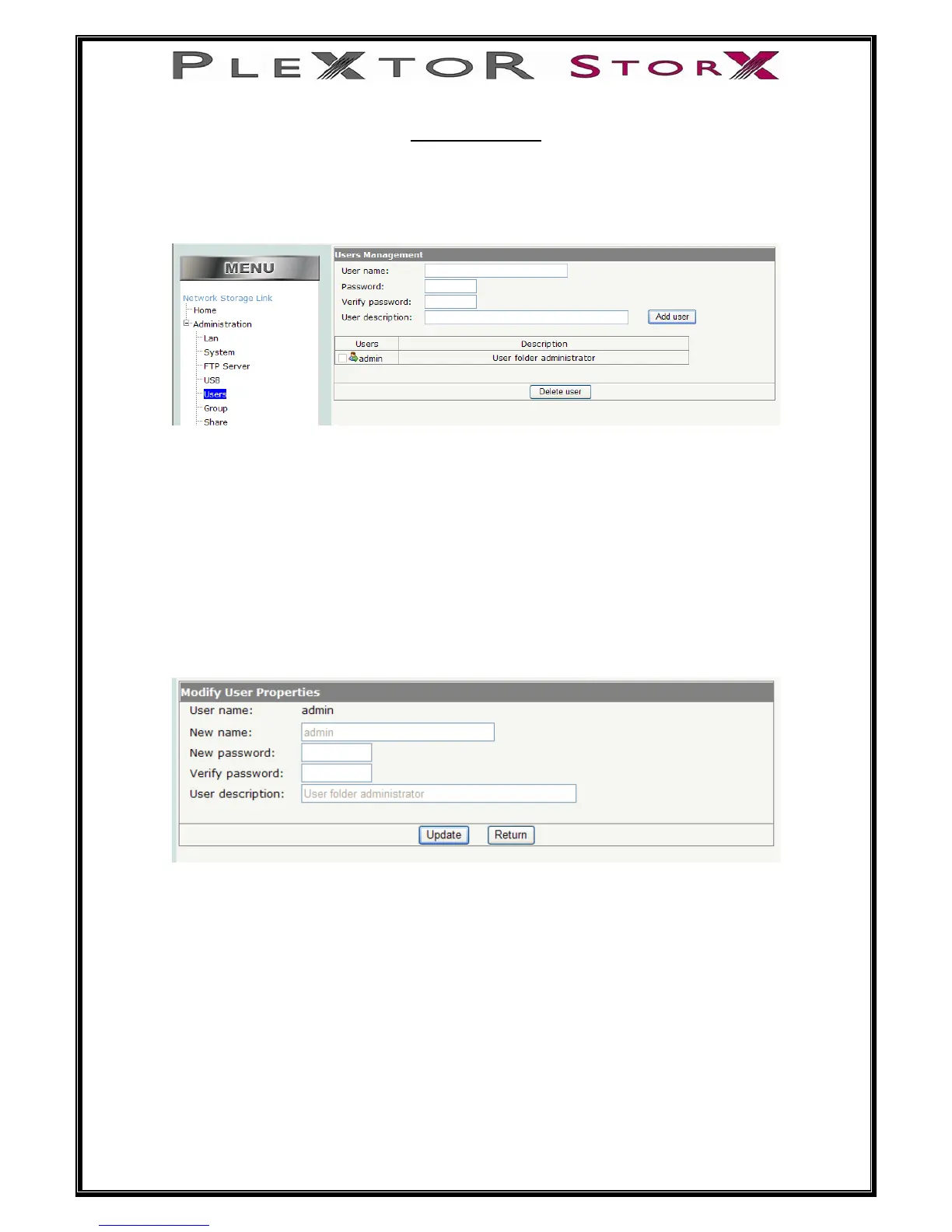
When Users is selected under Administration the following window appears
As can be seen there is a default user “admin” this user cannot be deleted and you
must create a password
This user has administration rights for all folders within Plextor StorX on the network
and ftp (this is not the same user name and password needed to access the setup
menu)
To create a password click on the user icon, a window will appear allowing you to
enter a password and verify. Once you have chosen and entered a secure password,
select Update.
23 of 46


 To Next Page