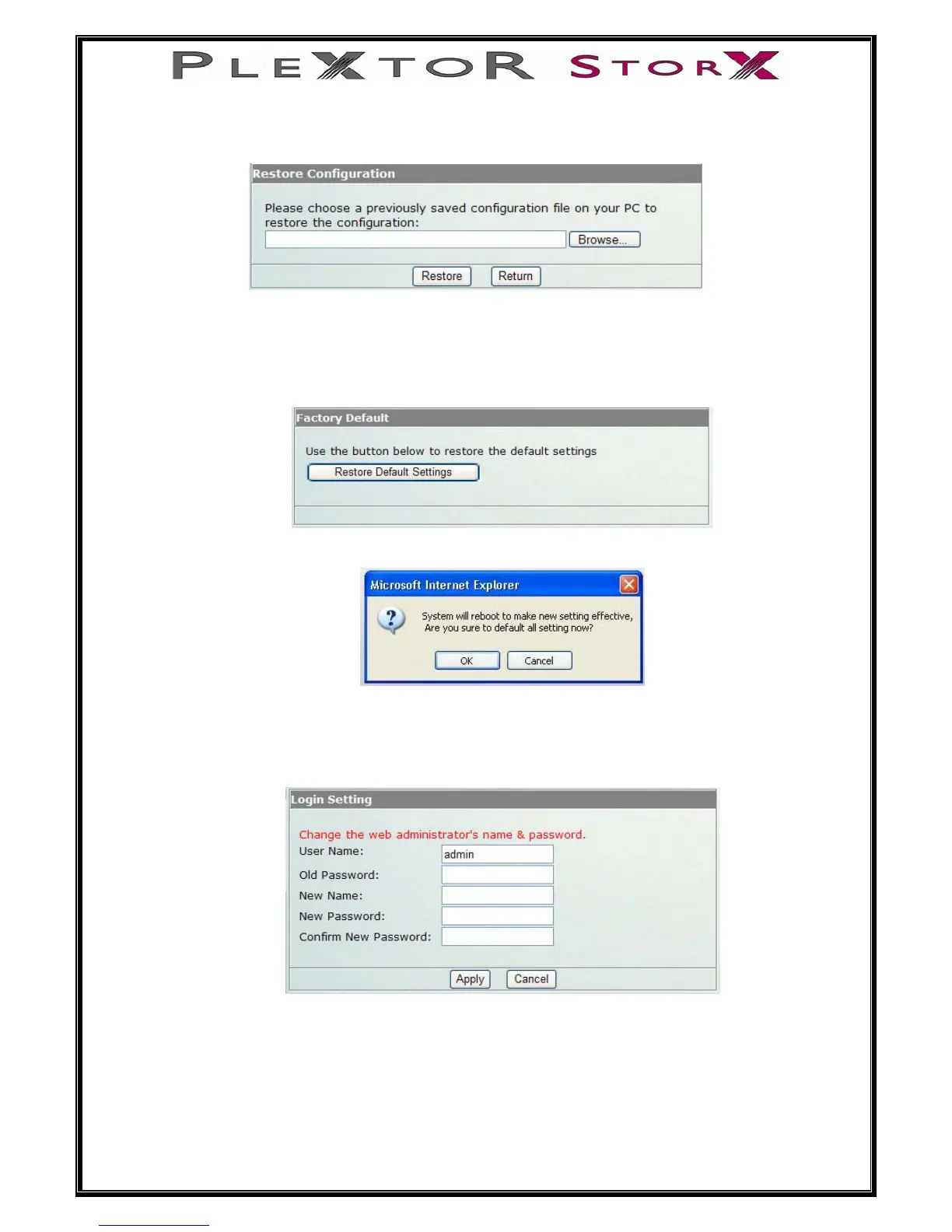
Restore: This function allows you to restore previous saved settings.
Select Browse, find and open previously saved file, then select Restore.
Factory Default
Only use this function when you want to reset your Plextor StorX back to the
factory default settings.
Your Plextor StorX will reboot for the new settings to take effect.
Login Settings
The Administration username and password to log into your Plextor StorX can
be changed from here.
User Name: admin
45 of 46
Old Password: root


 To Next Page