Section 11: BitTorrent
BitTorrent
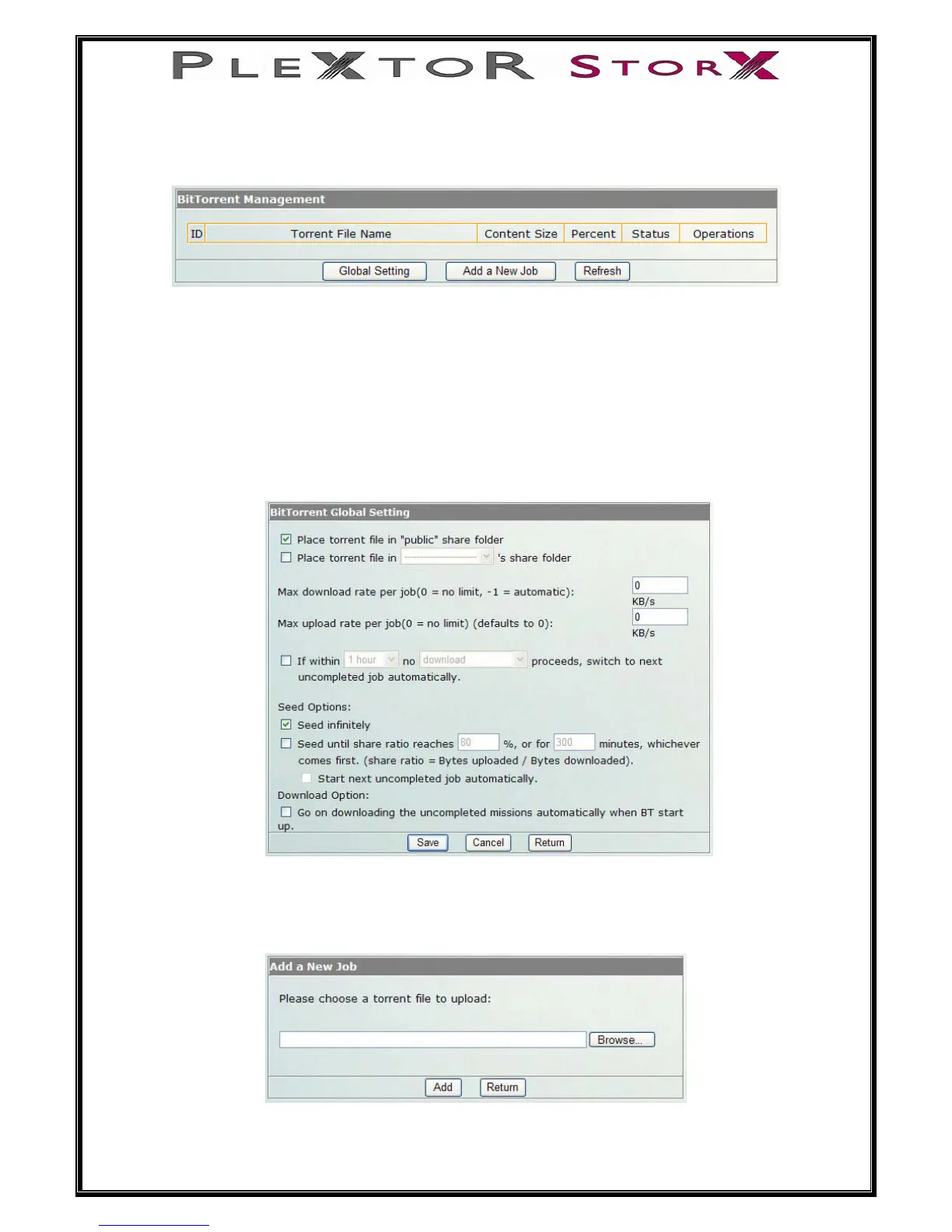
Global Settings
The User can choose in which folder (public or user’s folder) to place the downloaded
torrent files.
The max download and upload rate can be limited to the rate you want.
Seed infinitely – After the download has finished. The file will seed until you stop
seeding.
Or you can set the percentage of share ratio, or how long (in minutes) to share. The
user can also choose whether or not to start next job automatically.
Add a new job
Download a BitTorrent seed file (*.torrent) from the internet to your PC.
Select Browse to find the seed file you saved on your PC
Select Add
35 of 46


 To Next Page