ADS (Active Directory Service)
Please note, ADS is an administrative tool. Only select this option if you
have an understanding of ADS (Active Directory Service).
First, ensure that the date and time settings on your PleXtor StorX NAS (In System)
are in sync with your server.
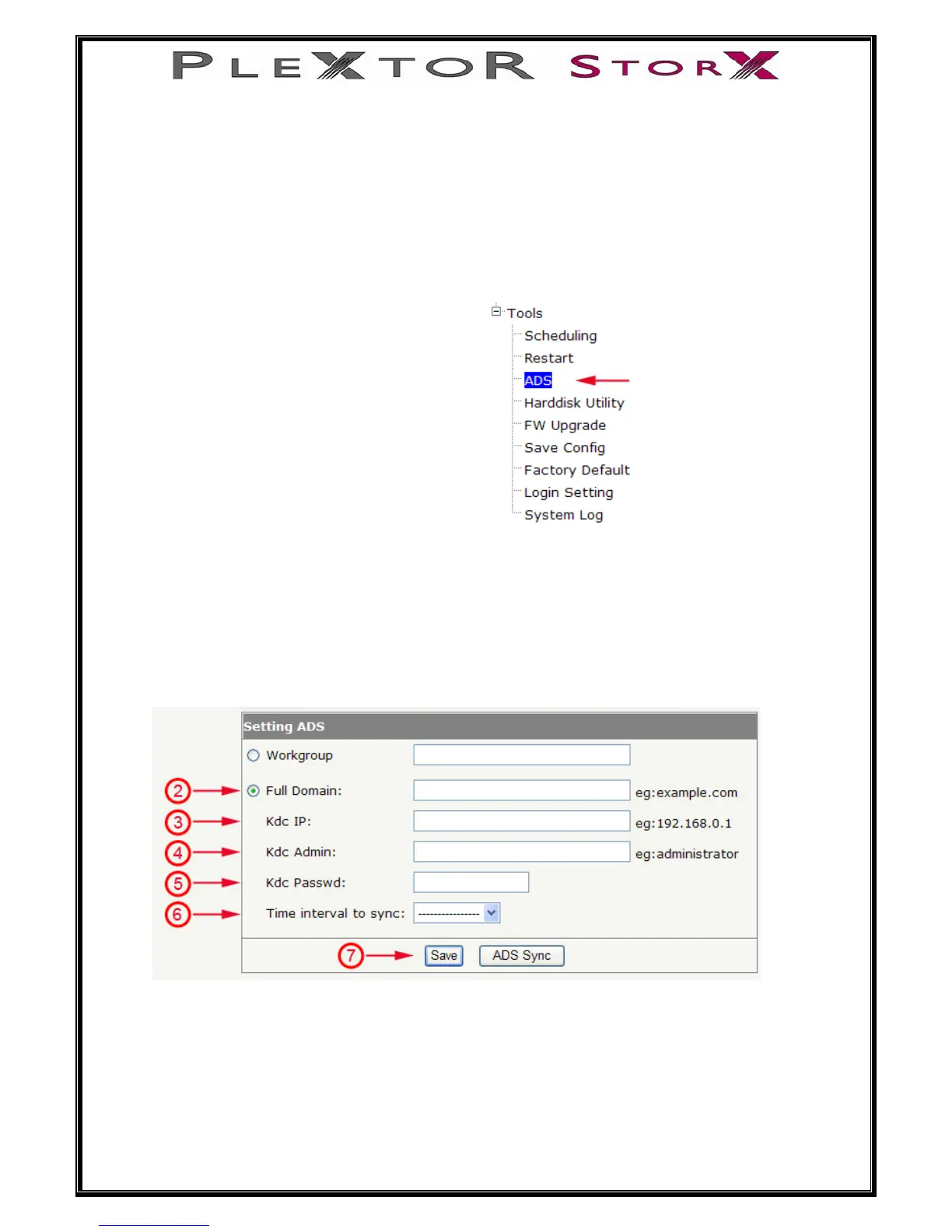
2) Select, Full Domain [enter the domain name of your server]
3) Kdc IP [enter the IP address of your server]
4) Kdc Admin [enter administrator]
5) Kdc Passwd [enter your administrator password]
6) Time interval to sync [from pull down menu, select a scheduled sync time]
7) Save and confirm settings
38 of 46
1) In Tools section, select ADS


 To Next Page