Adding Users
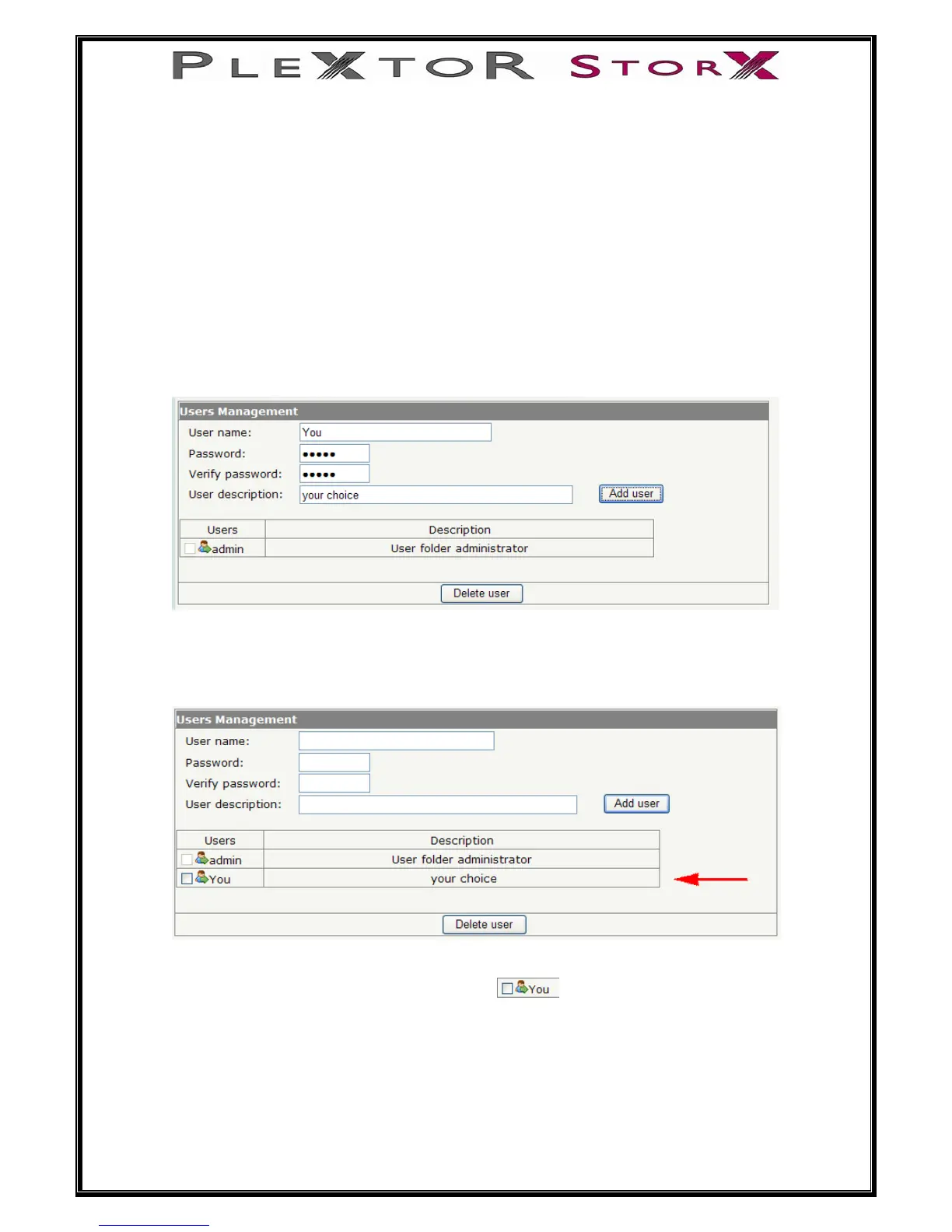
User name:
Enter a user name (you cannot start user name with a number or have spaces)
Password:
Enter a password for that user
Verify password:
Enter password again
User description:
You can enter a description for this user, or can be left blank
Select Add user
User can now be seen
To modify user properties, click on user icon
To delete user, check box next to user icon and select delete
24 of 46


 To Next Page