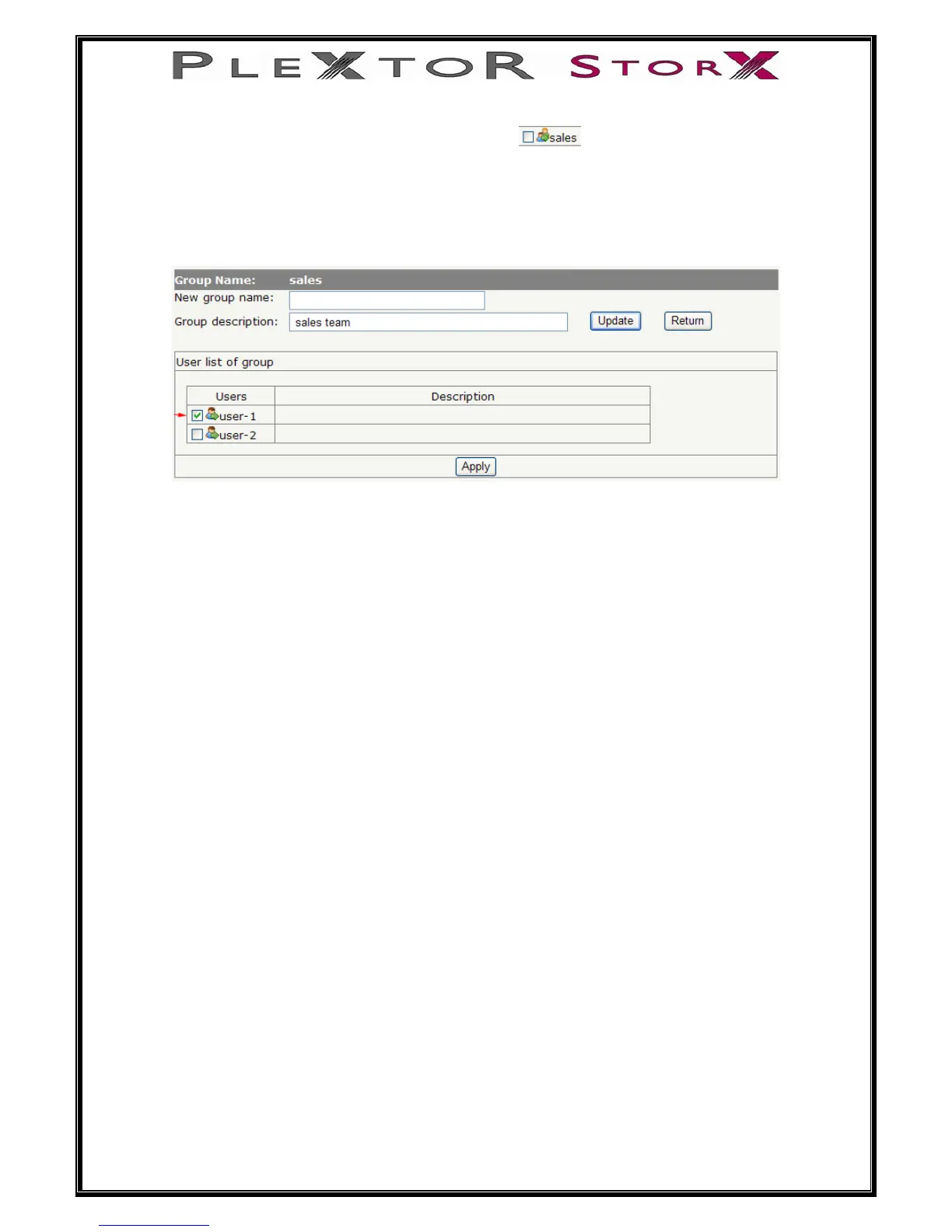
To add users to a group, click on the group icon
A list of users will appear
Select users you want add to the group by checking the box next to user icon
then select Apply
To remove users from group, uncheck the box next to that user icon and select apply
To update group name or description, enter new name or description and select
Update
26 of 46
To return to group list, select return


 To Next Page