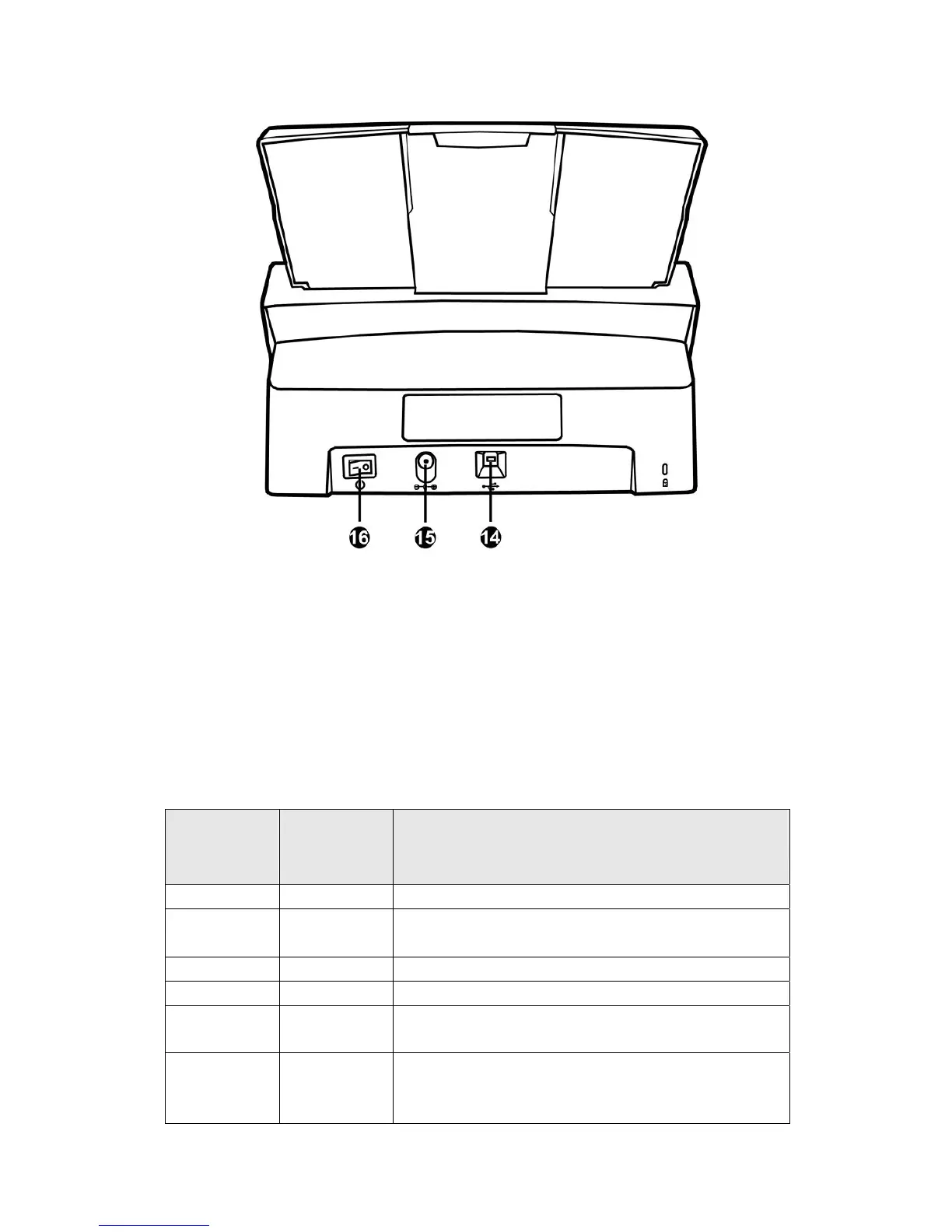
14. USB PORT—Connects the scanner to a USB port on your computer by the
included USB cable.
15. POWER RECEPTOR—Connects the scanner to a standard AC power outlet by the
included AC adapter.
16. POWER SWITCH—Use this to turn the scanner ON or OFF.
LED INDICATOR
The Power/Power Saving LED and Warning LED indicate different scanner status.
Warning LED
Light
Power /
Power Saving
LED Light
Status
Off White The scanner is turned on, ready to scan images.
Off Orange The scanner is in standby mode (sleep mode) if it is
idle for 10 minutes.
Red Blinking White The ADF cover is opened.
Blinking Red White Paper jam.
Blinking Red
Off An internal component of the scanner may have
malfunctioned.
Off Off The scanner is off, either because the power is not
turned on, or because the AC adapter is not properly
plugged into an AC power outlet.
7












 To Next Page