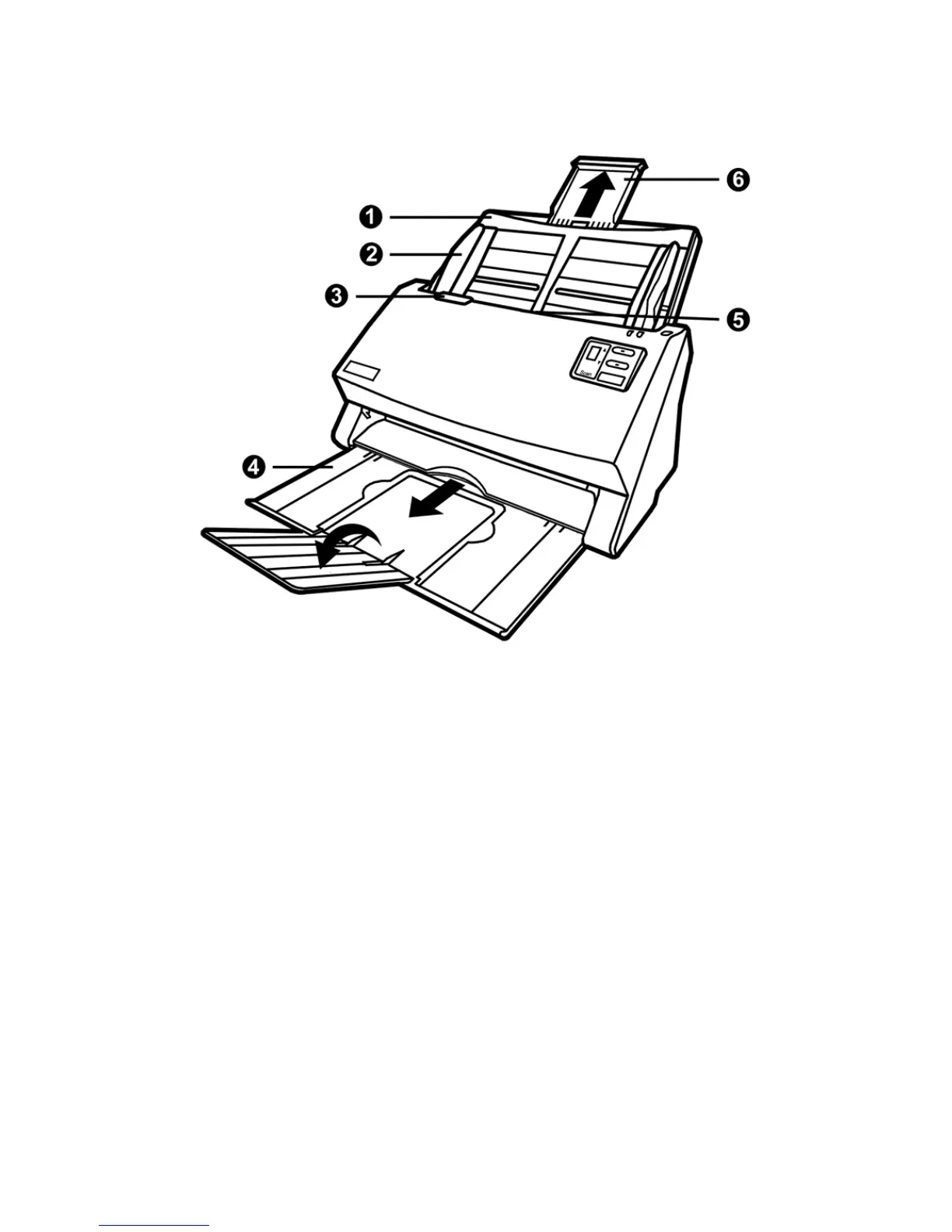
THE SCANNER FEATURES
1. PAPER CHUTE—Helps keep the paper in place. Install the paper chute before
using the scanner.
2. PAPER WIDTH SLIDER—Adjusts the paper width slider for the paper size you are
using.
3. COVER OPEN LEVER—Opens the ADF cover. Pull it to open the ADF cover
when you need to clear paper jam or clean the scanner.
4. STACKER—Keeps the paper in place. Extend it in case of longer paper.
5. ADF (AUTOMATIC DOCUMENT FEEDER)—Automatically feeds a stack of
documents for scanning.
6. PAPER CHUTE EXTENSION—Extends to hold longer paper.
5












 To Next Page