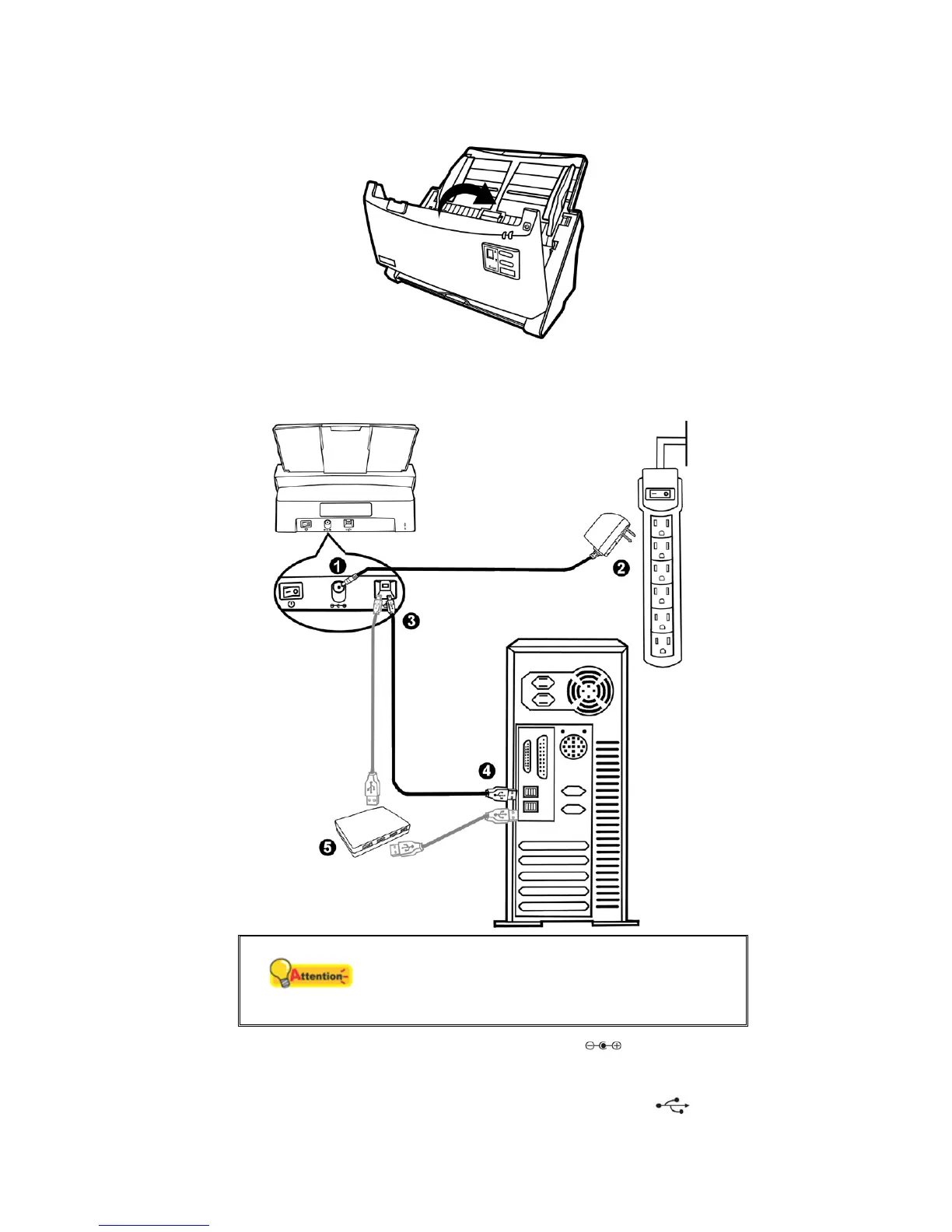
3. Close the ADF cover by pushing it back down until it snaps back into place.
S
S
t
t
e
e
p
p
2
2
.
.
C
C
o
o
n
n
n
n
e
e
c
c
t
t
i
i
n
n
g
g
t
t
h
h
e
e
S
S
c
c
a
a
n
n
n
n
e
e
r
r
t
t
o
o
Y
Y
o
o
u
u
r
r
C
C
o
o
m
m
p
p
u
u
t
t
e
e
r
r
Attention
Please make sure the scanner is turned OFF
before you plug or unplug the scanner power
adapter.
1. Plug the AC adapter into the scanner’s power receptor .
2. Plug the other end of the AC adapter into a standard AC power outlet.
3. Plug the square end of the included USB cable to the USB port
at the rear of
the scanner.
11












 To Next Page