PH/PHX-2 Manual
24
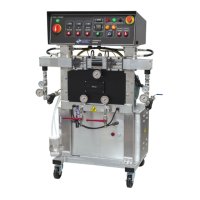
PROPORTIONER PURGING
WARNING! Use suitable Personal Protection Equipment (PPE) and follow
the recommendations in the Safety Information provided by product
suppliers when installing or working with the unit.
WARNING! Do not turn the Temperature Controllers ON until the
Proportioner purging procedure is complete and the Primary Heaters and
Heated Hoses are filled with material.
NOTE! Before using the Proportioner it is necessary to purge the entire
system, including Heated Hoses of mineral oil left over from Quality Control
testing and air. The following procedure is also followed to purge air
entrapped by running out of material in the supply Drum/Reservoirs resulting
in a significant indicated material pressure imbalance as indicated by the
Pressure Gauges and sprayed material.
1. Ensure the following before proceeding:
a. Air supply to Transfer Pumps is 90 - 110 psi (6 - 8 bar)
b. Proportioner Inlet ball Valves are CLOSED.
c. All connections are tight.
d. Material should be stored to the material suppliers' recommended temperatures.
e. Spray gun coupling block is installed and manual valves are closed.
2. Slowly OPEN the Poly (R) Transfer Pump Air Shut-Off Valve allowing Pump to cycle
slowly as it fills the Material Delivery Hose to the Proportioner. Check for leaks.
3. OPEN Poly (R) Coupling Block Manual Valve over a waste container.
4. Slowly OPEN Proportioner Poly (R) Inlet Valve allowing Transfer Pump to move material
through the system. When all spitting of air stops and all traces of mineral oil have
disappeared, CLOSE Poly (R) Coupling Block Manual Valve. Clean Coupling Block.
5. Repeat steps 2 to 4 for Iso (A) side.
CAUTION! Properly dispose of all waste chemicals in accordance with all
applicable local, state and federal codes. DO NOT turn on the Auto
Countdown Switch or the Pressure Balance Control Switch.
6. Turn Hydraulic Pressure Control (L, page 14) full COUNTERCLOCKWISE.
7. Turn ON Main Power (N, page 15). Green pilot will light.
8. Turn ON Control Power (R15, page 15). Switch will light.
9. Turn ON Motor Power (X, page 16). Switch will light.
10. Set Pump Switch (P, page 15) to NORMAL. Turn Hydraulic Pressure Control
CLOCKWISE increasing material pressure to 400 psi (28 bar). Both Material Pressure


 To Next Page