16
PRE-TRAINING MODE
LIGHT BACK START UP/DOWN
Illuminate the display
Press and hold to enter sport
profile settings
Return to time view Start a training session Move through sports list
DURING TRAINING
LIGHT BACK START UP/DOWN
Illuminate the display
Press and hold to enter
Quick Menu
Pause training by pressing once
Press and hold for 3 seconds
to stop training recording
Mark a lap
Press and hold to set
zone lock on/off
Continue training
recording when paused
Change training view
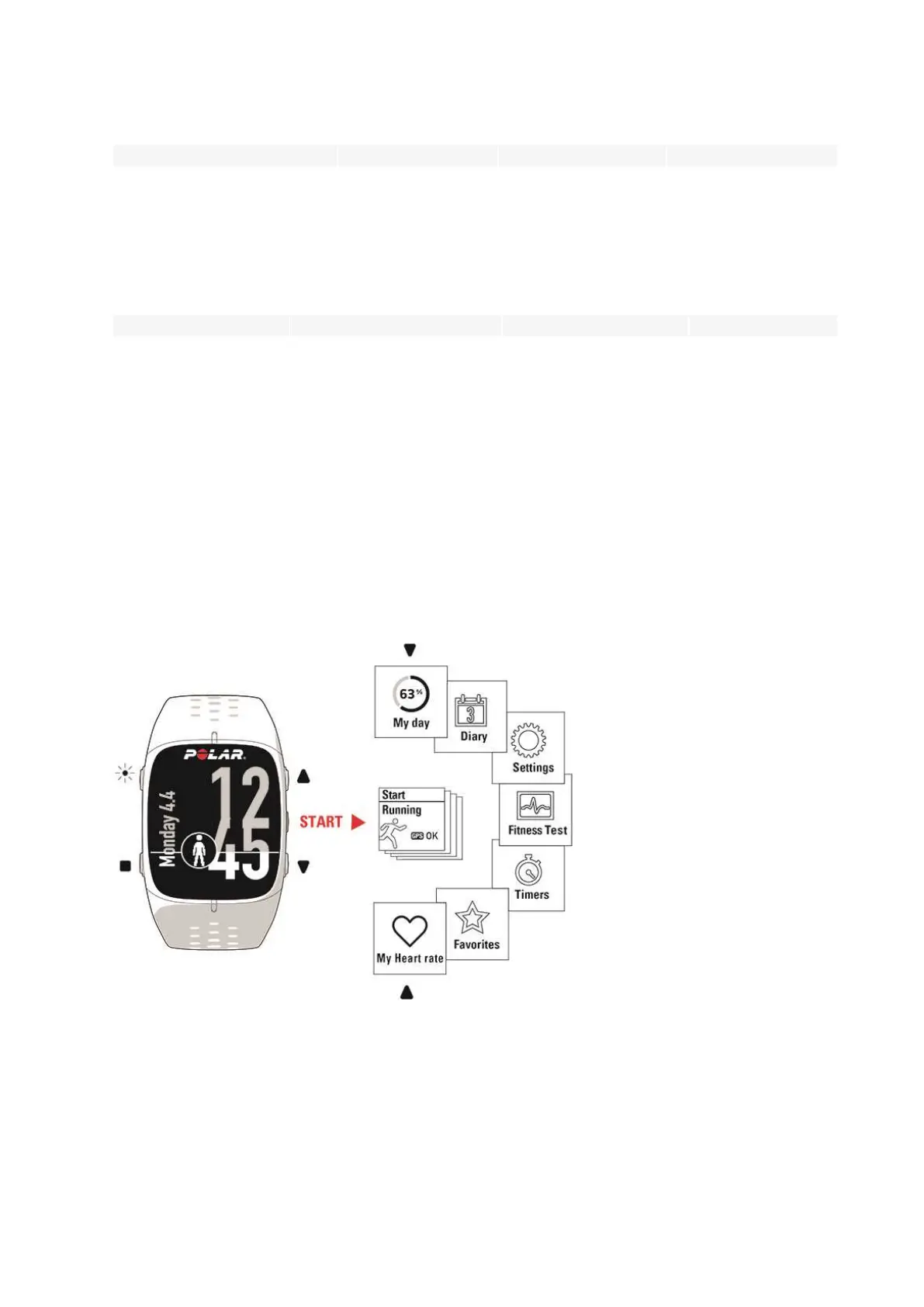
MENU STRUCTURE
Enter and browse through the menu by pressing UP or DOWN. Confirm selections with the START button, and
return with the BACK button.




 To Next Page