39
CHANGE PHASE DURING A PHASED SESSION
If you chose manual phase change when you created the phased target:
1. Press and hold LIGHT.
2. Quick menu is displayed.
3. Choose Start next phase from the list, and press START to continue to the next phase.
If your chose automatic phase change, the phase will change automatically when you have finished a phase.
M430 notifies you with a vibration.
CHANGE SETTINGS IN QUICK MENU
Press and hold LIGHT. Quick menu is displayed. You can change certain settings without pausing your
training session. For detailed information, see Quick Menu.
NOTIFICATIONS
If you are training outside the planned heart rate zones or speed/pace zones, your M430 notifies you with a
vibration.
PAUSING/STOPPING A TRAINING SESSION
1. To pause a training session, press the BACK button. Recording paused is displayed and the M430
goes to pause mode. To continue your training session, press START.
2. To stop a training session, press and hold the BACK button for three seconds during training recording
or in pause mode until Recording ended is displayed.
If you stop your session after pausing, the time elapsed after pausing is not included in the total training
time.
TRAINING SUMMARY
AFTER TRAINING
You'll get a summary of your training session on your M430 right after you've stopped training. Get a more
detailed and illustrated analysis in the Polar Flow app or in the Polar Flow web service.
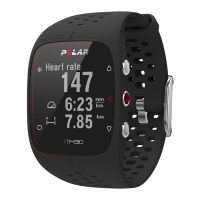
On your M430, you'll see the following data from your session:




 To Next Page